Category: Blog

Your blog category

  • Why Are Indoor Lights Flickering? Common Causes

    Why Are Indoor Lights Flickering? Common Causes

    A light that flickers once when you switch it on may be a simple lamp issue. Lights that repeatedly dim, pulse or flash are different. If you are asking, “why are indoor lights flickering?”, the answer can range from an incompatible LED globe to a loose connection hidden in the ceiling or switchboard. Knowing the difference helps you act before a small inconvenience becomes a safety concern.

    Why Are Indoor Lights Flickering in Your Home or Business?

    Indoor lights need a stable electrical connection and consistent voltage to work properly. Flickering happens when either one is interrupted, even briefly. The pattern matters: a single fitting flickering points to a local problem, while lights dimming throughout the property may indicate an issue with the circuit, switchboard or incoming supply.

    Older homes, renovated properties and busy commercial spaces can all develop lighting faults. Ageing wiring, added appliances and poor-quality fittings can place extra demands on an electrical system that was not designed for the load it now carries. The right repair depends on finding the source rather than repeatedly replacing globes.

    A loose or poorly fitted globe

    Start with the obvious. A globe that is not seated correctly in its bayonet or screw fitting can lose contact and flicker. Turn the light off at the switch and allow the globe to cool before checking whether it is secure. If the globe is damaged, discoloured or rattles in the fitting, replace it with a suitable, quality globe.

    If a new globe flickers in the same fitting, the problem is likely not the globe itself. Do not force a globe into a damaged holder or keep using a fitting that feels loose, hot or smells burnt.

    LED and dimmer incompatibility

    LED lighting uses far less energy than older halogen or incandescent globes, but not every LED globe works properly with every dimmer. A dimmer designed for older lighting may not have the minimum load or technology needed to control LEDs smoothly. The result can be flickering, buzzing, flashing at low brightness or lights that will not switch fully off.

    This is especially common after changing only some globes in a room to LED. Matching dimmable LED globes to an LED-compatible dimmer usually resolves the issue, but the product selection and installation should be checked by a licensed electrician. In some cases, the best result is replacing the dimmer rather than trying different globe brands.

    A faulty light fitting or switch

    A worn switch, corroded lampholder or failed LED driver can interrupt power to a single light. Downlights often have separate drivers above the ceiling, and these components can fail over time due to heat, age or poor ventilation. Integrated LED fittings cannot always be repaired by changing a globe because the light source and driver are built into the unit.

    Flickering that occurs when you touch a switch, open a door or walk across a floor can also suggest a loose connection. That is not a DIY repair. Electrical connections need to be inspected, tested and repaired safely by a licensed electrician.

    When Flickering Lights Point to a Bigger Electrical Fault

    Flickering across several rooms deserves more attention, particularly when it happens alongside power points that feel warm, tripping safety switches or appliances behaving unpredictably. These signs can indicate a fault beyond the light fitting.

    Loose wiring connections

    Loose connections create resistance, which can cause heat and intermittent power. They may occur at a light fitting, switch, junction point, circuit breaker or main connection. While a loose terminal may initially cause nothing more than an occasional flicker, it can worsen with normal use.

    Older wiring is more likely to have brittle insulation, ageing terminals or alterations made over many years. Renovations can also uncover issues where new circuits have been added to an already crowded or outdated switchboard. A licensed electrician can test the circuit, locate the fault and make compliant repairs without guesswork.

    Circuit overloads and voltage drop

    Lights may dip when a high-demand appliance starts, such as an air conditioner, fridge, dishwasher, pump or commercial equipment. A very brief change in brightness can occur in some properties, but regular or pronounced dimming is worth investigating.

    An overloaded circuit, undersized cable or poor connection can create voltage drop. The issue may only become noticeable during peak use, such as on a hot evening when cooling, cooking and charging devices are running at once. Businesses may notice it when machinery, refrigeration or office equipment cycles on.

    The solution is not always a complete rewire. It may involve redistributing circuits, upgrading a switchboard, adding a dedicated circuit or correcting a connection. The right approach depends on the condition and capacity of the existing installation.

    Switchboard or supply problems

    If lights throughout the building brighten and dim together, or multiple circuits are affected, the switchboard or electricity supply may be involved. A failing circuit breaker, damaged neutral connection or issue at the meter or network supply can affect lighting across the property.

    A loose neutral is particularly serious because it can cause unstable voltage. Warning signs include lights that become unusually bright as well as dim, appliances changing speed, or flickering affecting large parts of the property. Switch off power if it is safe to do so and arrange urgent electrical assistance. Your electrician can determine whether the fault is within the property installation or needs to be referred to the electricity distributor.

    Flickering Lights That Need Urgent Attention

    Do not ignore flickering lights when they appear with other warning signs. Turn off the affected circuit where possible and contact a licensed electrician promptly if you notice burning smells, smoke, crackling, sparks, scorch marks, repeated safety switch trips, or a warm switch, fitting or power point.

    The same applies if lights flicker after water has entered a ceiling, wall or light fitting. Roof leaks, plumbing leaks and storm damage can affect electrical components long after the visible water has dried. Keep clear of the area and do not touch wet fittings, switches or exposed wiring.

    For commercial premises, flickering emergency lighting, exit signs or lighting in high-traffic work areas should be treated as a priority. Reliable lighting supports safe access, staff comfort and day-to-day operations.

    What You Can Safely Check Before Booking an Electrician

    There are a few observations that can help speed up diagnosis without opening fittings or touching wiring. Note whether the flicker affects one globe, one room or the whole property. Check whether it happens at a certain time, when a particular appliance starts, or only when the lights are dimmed.

    You can also try a known compatible globe in a cool, undamaged fitting. If the flicker remains, stop there. Do not remove covers, tighten electrical terminals, replace a hardwired fitting or work inside the switchboard. In Australia, this work must be completed by a licensed electrician.

    Taking a short video of the issue can be useful, particularly when the flicker is intermittent. It gives the electrician a clearer picture of what is happening before they arrive and can help identify whether the problem is linked to a load, dimmer or particular circuit.

    A Lasting Fix Starts With Proper Testing

    Changing a globe may solve an isolated fault, but recurring flickering needs a proper electrical assessment. A licensed electrician can inspect the fitting, test voltage and connections, assess dimmer compatibility, and check the circuit and switchboard where required. This protects your property and avoids spending money on parts that do not address the real cause.

    Voltricity provides dependable electrical fault-finding and lighting solutions for homes and businesses, with clear advice on the work needed before repairs begin. If your lights are flickering regularly, becoming brighter and dimmer without reason, or showing any heat or burning signs, booking a professional inspection is the safest next step. A stable light should be something you never have to think about.


  • Best Kitchen Task Lighting for Safer Prep

    Best Kitchen Task Lighting for Safer Prep

    A beautiful kitchen can still be frustrating to use when your own shadow falls across the chopping board. The best kitchen task lighting puts clear, comfortable light exactly where you prepare food, read recipes, wash up and make coffee – without glare, harsh shadows or fittings that compete with the room’s design.

    For most homes, the answer is not simply adding brighter ceiling lights. Good kitchen lighting is layered. General lighting makes the room usable, while task lighting is positioned for the jobs that need accuracy. Getting that balance right improves safety, makes everyday cooking easier and gives a renovation a more considered finish.

    What kitchen task lighting needs to do

    Task lighting is targeted illumination for a specific working surface. In a kitchen, that usually means benchtops, the cooktop, sink, island and pantry. It should make edges, ingredients, controls and measurements easy to see, particularly in the early morning or evening when natural light is limited.

    A central ceiling fitting alone rarely does this well. When you stand at the bench, your body can block the overhead light and leave the work area in shadow. Under-cabinet lights solve this common problem by directing light forward and down across the benchtop. Pendant lights can do the same over an island, provided they are selected and positioned carefully.

    The right result feels natural rather than theatrical. You should be able to chop, clean and cook without squinting, but the kitchen should not feel like a commercial prep room. The best approach depends on the layout, cabinet design, surface colours and how the household uses the space.

    The best kitchen task lighting options

    Under-cabinet LED strip lighting

    For many kitchens, LED strip lighting beneath wall cabinets is the most effective option. It creates an even line of light along the benchtop, rather than isolated bright spots, and it can be concealed behind a small trim or recessed into the cabinetry for a clean finish.

    Choose a quality aluminium channel with a diffuser instead of attaching an exposed strip directly to the cabinet. The channel helps manage heat, protects the LEDs and softens the individual diode effect. It also gives the installation a more durable, professional appearance.

    Strip lighting works particularly well along long preparation benches and behind splashbacks. It can be switched with the main kitchen lights, controlled separately for softer evening use, or connected to smart controls where that suits the home. Very cheap strips may look appealing initially, but inconsistent colour, poor adhesion and early failure often make them a false economy.

    Under-cabinet LED battens or puck lights

    Slim LED battens are a practical choice where a continuous strip is not needed. They provide strong, reliable coverage and suit utility-focused kitchens, rental upgrades and work areas where function is the priority. Puck lights are compact round fittings that can be useful inside cabinets or in short, enclosed bench sections.

    The trade-off is consistency. A series of individual puck lights can create pools of brightness and darker gaps between them, especially over a long benchtop. Battens offer a more even result, but their visible profile may not suit every contemporary kitchen. Your electrician can help determine whether the fittings will be hidden from normal sightlines.

    Pendant lights over an island

    Pendant lights are often selected for their visual impact, but they can also provide excellent task lighting over an island or breakfast bar. The key is to choose shades that direct enough light downward and to use the right number of fittings for the island’s length.

    A single decorative pendant may look good but leave the ends of a large island poorly lit. Two or three smaller pendants often create better coverage. Their height matters as well: too high and light spreads too widely; too low and the fittings interrupt views across the kitchen or become a head-height hazard.

    Pendants should complement, not replace, proper under-cabinet lighting. They are ideal for an island used for food prep, homework or casual meals, while the main workbench still benefits from dedicated lighting beneath the wall cabinets.

    Adjustable downlights

    Downlights can support task areas when they are planned around the kitchen layout rather than placed in a simple grid. Adjustable fittings can be aimed towards a benchtop, sink or pantry, adding useful light where fixed downlights may miss.

    They are most effective as part of a layered design. Downlights positioned directly behind where someone stands at the bench can still cast shadows. They also need careful spacing to avoid glare on glossy splashbacks, stone benchtops and stainless-steel appliances.

    Lighting inside pantries and cupboards

    Pantry lighting is a small upgrade with a big everyday benefit. Sensor-operated LED lighting inside a walk-in pantry, deep drawer or appliance cupboard means you can find what you need without relying on spill light from the kitchen. It is particularly useful in darker corners and for households where the kitchen gets busy at peak times.

    This is not the first place to spend the lighting budget, but it is worth considering when cabinetry is being installed or a kitchen is being renovated. Planning it early keeps wiring and fittings discreet.

    Choose the right brightness and colour temperature

    Brightness is measured in lumens, but there is no single lumen figure that suits every kitchen. Dark cabinetry, charcoal stone and matt finishes absorb more light than pale surfaces. A large kitchen with wide benches also needs more output than a compact galley layout.

    As a guide, task lighting should be bright enough to clearly illuminate the full depth of the work surface, without producing sharp reflections or eye strain. Dimmable fittings offer useful flexibility. You can use brighter light for meal preparation, then lower the level when the kitchen becomes a social space.

    For colour temperature, 3000K to 4000K is usually the most comfortable range for kitchen task lighting. Around 3000K gives a warmer white that suits timber, warm neutrals and relaxed entertaining spaces. Around 4000K is a cleaner neutral white that can make food preparation and cleaning feel sharper. Very cool blue-toned light can appear clinical in a home kitchen, even when it is technically bright.

    Colour rendering also matters. Look for LEDs with a high colour rendering index, commonly referred to as CRI. Better colour rendering helps fresh food, timber and paint colours appear more accurate. It is a detail that is easy to overlook until the lights are installed.

    Placement matters more than fixture style

    Before choosing fittings, stand in the kitchen and think about where work actually happens. The main preparation zone is often between the sink and cooktop, not necessarily the centre of the room. That area deserves the most consistent light.

    Under-cabinet lighting should sit near the front edge of the cabinet underside, aimed back across the benchtop. If it is installed too close to the splashback, the rear of the bench may be bright while the front edge remains dim. For pendant lights, align them with the working zone of the island rather than centring them only for appearance.

    Be mindful of reflective materials. Polished stone, glossy tiles and glass splashbacks can bounce light into your line of sight. Diffused LEDs, sensible positioning and dimming controls usually produce a more comfortable result than simply increasing wattage.

    Plan electrical work safely

    Kitchen lighting often involves new wiring, new switches, dimmers or smart controls. In Australia, this electrical work must be completed by a licensed electrician. A qualified professional can also check that fittings are suitable for their location, particularly near sinks, cooktops and other areas exposed to heat, steam or moisture.

    If you are renovating, organise the lighting plan before plastering, cabinetry and splashbacks are complete. It is easier and more cost-effective to run cables, allow for drivers and set switch locations while the walls are open. For finished kitchens, there are still practical retrofit options, although the available pathways and finish details may influence the recommendation.

    Voltricity can assess the room, discuss how you use the kitchen and install a lighting layout that is practical, compliant and suited to your home. The aim is straightforward: light where you work, controls where you need them, and workmanship built to last.

    The best kitchen task lighting is the kind you barely notice until you are preparing dinner on a dark evening and every part of the bench is clear, comfortable and ready to use.

  • Best Lighting for Retail Stores Made Practical

    Best Lighting for Retail Stores Made Practical

    A customer may never comment on your lighting, but they will notice when it makes a store feel harsh, dim, cluttered or uninviting. The best lighting for retail stores helps merchandise look true to colour, guides people comfortably through the space and gives staff a safer, more productive workplace. It also needs to make commercial sense, with efficient fittings, sensible controls and reliable installation.

    For retail operators, lighting is not simply a finishing touch. It is part of how customers experience the brand, find products and decide where to spend their time. A considered lighting plan can make a compact shop feel more open, give feature displays real impact and reduce ongoing electricity and maintenance costs.

    Start with the way customers move through the store

    The right lighting design begins with the floor plan, not a catalogue of fittings. Consider the customer journey from the entrance to the counter, change rooms, aisles, feature displays and exits. Each area has a different job to do, so it should not receive exactly the same type or level of light.

    At the entrance, lighting needs to create a clear, welcoming transition from outside. Shopfront windows and front displays should be bright enough to attract attention without producing reflections that hide the products. Inside, consistent general lighting helps customers orient themselves and move easily between zones.

    Feature areas deserve more focused lighting. New arrivals, high-margin products, signage and point-of-sale displays can benefit from adjustable spotlights or track lighting. This contrast draws the eye naturally, but it must be used with restraint. If every shelf is highlighted, nothing feels special and the space can become visually tiring.

    Back-of-house spaces are equally important. Stockrooms, staff areas and loading zones need clear, practical illumination so employees can read labels, handle stock safely and complete tasks without unnecessary strain.

    The best lighting for retail stores uses layers

    A strong retail scheme usually combines ambient, accent and task lighting. The mix matters more than choosing one fitting type for the entire premises.

    Ambient lighting provides the base level of visibility throughout the store. Recessed LED downlights, linear LED fittings or well-planned ceiling panels are common choices, depending on ceiling height and the style of the fit-out. The aim is even coverage with minimal shadowing, especially along aisles and near shelving.

    Accent lighting adds depth and directs attention to selected products. Track-mounted LED spotlights are particularly useful because they can be repositioned as displays change. They work well for fashion racks, jewellery cabinets, wall displays and promotional tables. For delicate products, confirm that the fitting produces minimal heat and does not emit damaging ultraviolet light.

    Task lighting supports a specific activity. It may include brighter lighting at a service counter, under-shelf lighting in a display cabinet or targeted fittings around mirrors and fitting rooms. In these areas, good facial visibility and accurate colour rendering can improve both customer service and security.

    Layered lighting also gives a store more character. A bookshop, boutique or homewares retailer may want a warmer, relaxed feel, while a pharmacy, electronics store or supermarket often requires a cleaner and brighter presentation. The fittings should support the environment your customers expect rather than follow a one-size-fits-all trend.

    Choose colour temperature to suit the products

    Colour temperature is measured in Kelvin and has a noticeable effect on mood and product appearance. Warm white light, generally around 2700K to 3000K, feels softer and more inviting. It often suits fashion boutiques, gift stores, beauty retailers and hospitality-adjacent spaces.

    Neutral white, around 3500K to 4000K, offers a balanced, clean appearance. It is a practical option for many general retail environments because it keeps colours looking natural without feeling overly clinical. Cooler light above 4000K can suit supermarkets, pharmacies, hardware stores and task-focused areas, but it can make some interiors feel stark if used throughout.

    The best choice depends on your fit-out, product range and brand. A warm fitting that makes timber shelving look rich may make white garments or cosmetics appear less accurate. Before committing to a large order, test proposed fittings against your actual products and finishes at different times of day.

    Colour rendering is just as important. Look for LED fittings with a high Colour Rendering Index, commonly CRI 80 or above for general retail and higher where colour accuracy is critical. Fashion, cosmetics, florists and food displays often benefit from higher-quality colour rendering because customers need to see products as they will appear at home or in daylight.

    Use LED fittings, but do not chase watts alone

    LED technology is the sensible standard for most retail upgrades. Quality LED fittings use far less energy than older halogen or fluorescent lighting, last longer and give you more flexibility with dimming, beam angles and controls. Lower heat output can also reduce pressure on air conditioning, particularly in shops with many display lights.

    However, the cheapest LED option is rarely the best long-term value. Poor-quality fittings can flicker, change colour over time, fail early or provide uneven light. In retail settings, a failed fitting above a display can quickly make the space look neglected.

    When comparing options, consider light output in lumens, beam angle, glare control, colour temperature, CRI, expected lifespan, warranty and compatibility with dimmers or control systems. A narrow beam may suit a mannequin or small display, while a wider beam is better for a feature wall or table. Your electrician can help match fittings to mounting heights and the required light spread.

    Control glare, shadows and reflections

    Glare is one of the most common lighting problems in retail premises. It can occur when customers see a bright light source directly, when spotlights are aimed too low or when glossy floors, glass cabinets and screens reflect light into their eyes. It is uncomfortable, and it can make products harder to inspect.

    Position spotlights carefully and use fittings with appropriate shielding or diffusers where needed. In change rooms, avoid a single overhead downlight that creates deep shadows on the face. More even lighting around the mirror provides a better customer experience and makes the area feel more considered.

    Window displays require extra attention. Daylight, glass reflection and interior lighting all compete in this zone. The goal is enough light to make the display visible from the footpath without turning the glass into a mirror. Adjustable fittings and after-hours testing are worthwhile, particularly for stores that trade into the evening.

    Add controls that suit your trading hours

    Lighting controls can deliver worthwhile savings without making daily operations complicated. Dimmers allow staff to adjust the atmosphere for different times of day or special events. Timers and scheduling can ensure window displays, signage and back-of-house lighting are not left on longer than necessary.

    Occupancy sensors can work well in storerooms, toilets and staff-only areas. Daylight sensors may also be useful near windows or skylights, where fittings can dim automatically when natural light is sufficient. They are not ideal in every location, though. Sensors placed in low-traffic customer areas can switch lights off at the wrong moment, so selection and commissioning matter.

    For multi-site operators or larger premises, centralised controls can make it easier to manage schedules and identify faults. For a small independent shop, simple, well-labelled switching may be the more practical and reliable choice. The best system is one your team will understand and use properly.

    Plan for safety, maintenance and future changes

    Retail lighting must be installed safely and in line with applicable Australian electrical requirements. Emergency and exit lighting needs particular care. These fittings are essential during a power outage or evacuation, and they require suitable placement, testing and ongoing maintenance.

    It is also wise to plan for the realities of retail. Displays move, leases change and fit-outs evolve. Track lighting, separate switching zones and accessible drivers can make future adjustments far easier than a fixed layout with every fitting on one circuit.

    Maintenance should be part of the decision, not an afterthought. Choose fittings that can be safely accessed, use reputable components and retain product details for future replacements. A consistent lighting specification reduces the frustration of mismatched colour temperatures when individual fittings eventually need changing.

    A licensed electrician can assess your existing circuits, switchboard capacity, ceiling conditions and emergency lighting obligations before installation begins. This is especially valuable in older shops, where an attractive new fit-out may expose outdated wiring, overloaded circuits or poorly located switching.

    Good retail lighting should make the store feel effortless for customers and practical for staff. With the right layout, quality LED fittings and professional installation, your lighting can continue working quietly for your business long after opening day.

  • Alarm System Comparison for Homes and Businesses

    Alarm System Comparison for Homes and Businesses

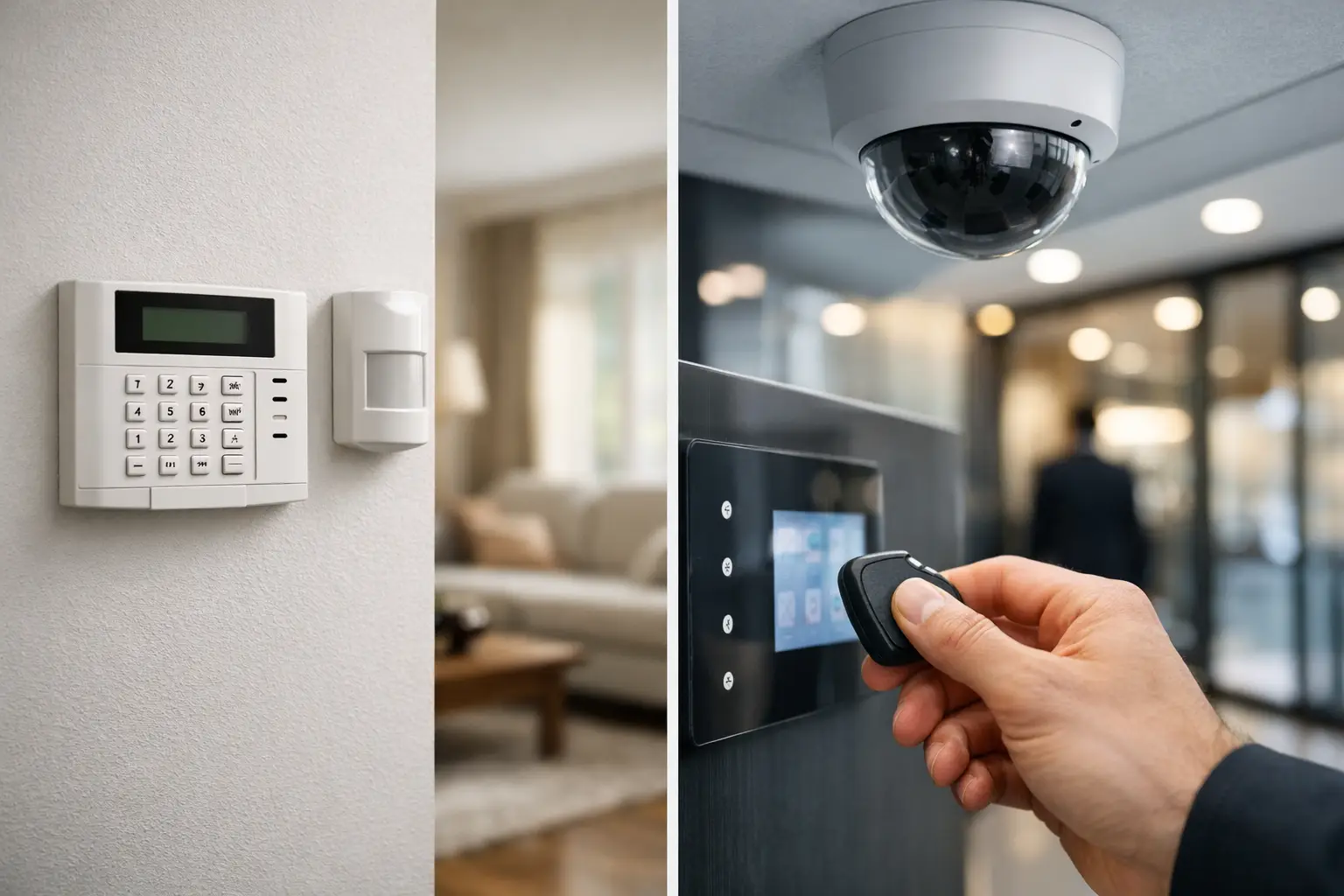
    A break-in rarely follows a convenient script. It may happen through a rear door hidden from the street, a ground-floor window during school pick-up, or an unlocked storeroom after business hours. A useful alarm system comparison starts with how your property is actually used, not with the loudest siren or the lowest advertised price.

    For Australian homeowners, property managers and business operators, the right system needs to be dependable when the building is empty, straightforward to use when it is occupied, and installed in a way that protects the property without creating daily frustration. The best choice may be a simple wireless alarm for a small home, a hardwired system for a renovation, or a monitored, integrated solution for a commercial site.

    Alarm system comparison: start with the property

    Before comparing brands, apps or packages, consider the building itself. A compact unit with one entry door has very different requirements from a family home with a detached garage, or a warehouse with several access points and staff moving through it at different times.

    Start by identifying the points that matter most: external doors, accessible windows, garage entries, side gates, offices, stock rooms and plant areas. Then consider what happens on site after hours. Is the property completely vacant? Are pets indoors? Do cleaners, tenants or staff need separate access? These details affect detector placement, user codes and whether monitoring is worthwhile.

    Security is strongest when it is planned as a complete property system. Alarm detection, cameras, exterior lighting and access control each do different jobs. An alarm can alert you to unauthorised entry, while cameras help verify activity and lighting can make vulnerable areas less attractive in the first place. Not every property needs every component, but considering them together avoids expensive changes later.

    Wired versus wireless alarm systems

    The central decision in most alarm system comparisons is whether to choose wired or wireless equipment. Neither is automatically better. The right option depends on the building, budget and expected lifespan of the system.

    Wired alarms suit long-term upgrades

    Wired alarms use physical cabling between the control panel and devices such as motion detectors, reed switches and keypads. They are particularly well suited to new builds, major renovations and commercial properties where cable routes can be planned before walls and ceilings are closed.

    Their main advantage is stability. Devices do not rely on batteries, and a professionally installed wired system can provide reliable coverage for many years. This makes it a practical option for larger homes, offices, shops and premises with multiple detection zones.

    The trade-off is installation access. Running cables through an established home can take more time and may involve additional labour, especially where there is limited roof or wall access. A professional assessment should identify realistic cable paths before a quote is accepted, so there are no surprises on installation day.

    Wireless alarms suit existing homes and flexible spaces

    Wireless systems communicate using secure radio signals and are generally faster to install in finished properties. They are often a strong choice for apartments, established homes, small offices and rental properties where extensive cabling is impractical.

    A quality wireless system can be highly effective, but it needs proper design. Signal strength, the distance between devices, building materials and battery maintenance all matter. Large concrete structures, metal cladding and sprawling sites may need extra planning or signal repeaters.

    Battery alerts are useful, but they should not replace routine maintenance. If a device reports a low battery, replace it promptly with the specified type. Wireless convenience works best when the system is checked regularly and installed with reliable coverage in mind.

    Self-monitored or professionally monitored?

    Modern alarms can send notifications to a mobile app, a nominated contact or a professional monitoring centre. The most suitable option comes down to how quickly someone can respond and the level of support you want outside normal hours.

    With self-monitoring, the system sends an alert directly to you. This can be a cost-effective solution for homeowners who are usually nearby, can check camera footage quickly, or have trusted neighbours who can assist. It also gives you visibility over arming status, open doors and alarm events through a compatible app.

    The limitation is simple: you still need to act. If you are driving, working in a meeting, travelling or asleep, an alert may not receive immediate attention. A notification also does not confirm whether the cause is a genuine intrusion, a pet, an open window or a detector fault.

    Professional monitoring adds an organised response process. Depending on the service arrangement, trained operators receive alarm signals and follow agreed escalation procedures, such as contacting keyholders or emergency services when appropriate. This is often a sensible investment for businesses, high-value stock areas, vacant properties and households that travel regularly.

    Monitoring has ongoing fees, so it should be weighed against the property’s risk and the consequence of a delayed response. It is worth asking exactly what the service includes, how faults are handled and who is contacted first.

    Choosing the right detection devices

    An alarm panel is only as useful as the devices connected to it. A well-designed system uses the right detector in the right place rather than placing motion sensors in every room.

    Door and window contacts identify when a protected entry point opens. They are particularly valuable on external doors, sliding doors and accessible windows. Motion detectors cover internal movement and are commonly used in hallways, living areas, offices and stock rooms. Glass-break detection may be appropriate where large glazed areas are a concern, while outdoor beams can provide an early alert around a perimeter or driveway.

    Pet-friendly motion detectors are available, but they are not a guarantee against false alarms. Detector height, pet size, furniture placement and the animal’s behaviour all need to be considered. A cat that climbs shelving or a large dog that jumps on furniture can still trigger a poorly positioned sensor.

    For commercial sites, zoning deserves close attention. Separate zones can allow staff to work in one area while a warehouse, office wing or storage room remains armed. Clear zone labels also make it easier to understand an alarm event and investigate faults quickly.

    Connectivity, backup power and app access

    Many systems use an internet connection for app control and notifications. That is helpful, but it should not be the only communication path considered. If the NBN connection is interrupted or power is lost, the system still needs a way to report important events.

    Ask whether the alarm has battery backup and whether it can communicate through a cellular connection. These features can make a meaningful difference during an outage or when an intruder damages communications equipment. For commercial premises, confirm how long backup power is expected to support the panel and communication device.

    App control is convenient for checking status, arming the system remotely and receiving alerts. It is not always necessary to give every user full control, however. Use individual codes or app permissions for family members, staff, cleaners and contractors where possible. When someone no longer needs access, remove it promptly rather than relying on a shared code being kept private.

    Cost: look beyond the package price

    An entry-level alarm package may appear affordable, but a fair comparison needs to include the full scope. Consider the number and type of detectors, keypad locations, communications equipment, backup battery, installation labour, commissioning, app access, monitoring fees and future additions.

    Cheapest is not always best, particularly when the system leaves vulnerable entries uncovered or has no practical path for expansion. At the same time, there is little value in paying for complex features that no one on site will use. A good design matches the system to genuine risks and everyday routines.

    For strata managers and business operators, it is also wise to consider ongoing maintenance. Who will test the system, replace batteries, update contact details and respond to faults? Assigning responsibility early prevents a system from becoming unreliable through neglect.

    Installation quality matters as much as equipment

    Even reputable alarm equipment can perform poorly if devices are badly positioned, cables are unprotected or the system is not commissioned properly. Installation should include testing of each detector, confirmation of communication paths, clear user instructions and a handover that explains arming, disarming and fault messages.

    A licensed security and electrical professional can also identify electrical and practical issues that product-only comparisons miss, such as suitable power supply locations, cable protection, lighting coverage and integration with existing cameras or access control. Voltricity can assess these elements together, helping property owners make decisions that suit the building now and allow for future changes.

    The right alarm is the one your household or team can use confidently every day, while providing dependable protection when no one is there to watch the door.

  • Alarm System Comparison for Homes and Businesses

    Alarm System Comparison for Homes and Businesses

    A break-in rarely follows a convenient script. It may happen through a rear door hidden from the street, a ground-floor window during school pick-up, or an unlocked storeroom after business hours. A useful alarm system comparison starts with how your property is actually used, not with the loudest siren or the lowest advertised price.

    For Australian homeowners, property managers and business operators, the right system needs to be dependable when the building is empty, straightforward to use when it is occupied, and installed in a way that protects the property without creating daily frustration. The best choice may be a simple wireless alarm for a small home, a hardwired system for a renovation, or a monitored, integrated solution for a commercial site.

    Alarm system comparison: start with the property

    Before comparing brands, apps or packages, consider the building itself. A compact unit with one entry door has very different requirements from a family home with a detached garage, or a warehouse with several access points and staff moving through it at different times.

    Start by identifying the points that matter most: external doors, accessible windows, garage entries, side gates, offices, stock rooms and plant areas. Then consider what happens on site after hours. Is the property completely vacant? Are pets indoors? Do cleaners, tenants or staff need separate access? These details affect detector placement, user codes and whether monitoring is worthwhile.

    Security is strongest when it is planned as a complete property system. Alarm detection, cameras, exterior lighting and access control each do different jobs. An alarm can alert you to unauthorised entry, while cameras help verify activity and lighting can make vulnerable areas less attractive in the first place. Not every property needs every component, but considering them together avoids expensive changes later.

    Wired versus wireless alarm systems

    The central decision in most alarm system comparisons is whether to choose wired or wireless equipment. Neither is automatically better. The right option depends on the building, budget and expected lifespan of the system.

    Wired alarms suit long-term upgrades

    Wired alarms use physical cabling between the control panel and devices such as motion detectors, reed switches and keypads. They are particularly well suited to new builds, major renovations and commercial properties where cable routes can be planned before walls and ceilings are closed.

    Their main advantage is stability. Devices do not rely on batteries, and a professionally installed wired system can provide reliable coverage for many years. This makes it a practical option for larger homes, offices, shops and premises with multiple detection zones.

    The trade-off is installation access. Running cables through an established home can take more time and may involve additional labour, especially where there is limited roof or wall access. A professional assessment should identify realistic cable paths before a quote is accepted, so there are no surprises on installation day.

    Wireless alarms suit existing homes and flexible spaces

    Wireless systems communicate using secure radio signals and are generally faster to install in finished properties. They are often a strong choice for apartments, established homes, small offices and rental properties where extensive cabling is impractical.

    A quality wireless system can be highly effective, but it needs proper design. Signal strength, the distance between devices, building materials and battery maintenance all matter. Large concrete structures, metal cladding and sprawling sites may need extra planning or signal repeaters.

    Battery alerts are useful, but they should not replace routine maintenance. If a device reports a low battery, replace it promptly with the specified type. Wireless convenience works best when the system is checked regularly and installed with reliable coverage in mind.

    Self-monitored or professionally monitored?

    Modern alarms can send notifications to a mobile app, a nominated contact or a professional monitoring centre. The most suitable option comes down to how quickly someone can respond and the level of support you want outside normal hours.

    With self-monitoring, the system sends an alert directly to you. This can be a cost-effective solution for homeowners who are usually nearby, can check camera footage quickly, or have trusted neighbours who can assist. It also gives you visibility over arming status, open doors and alarm events through a compatible app.

    The limitation is simple: you still need to act. If you are driving, working in a meeting, travelling or asleep, an alert may not receive immediate attention. A notification also does not confirm whether the cause is a genuine intrusion, a pet, an open window or a detector fault.

    Professional monitoring adds an organised response process. Depending on the service arrangement, trained operators receive alarm signals and follow agreed escalation procedures, such as contacting keyholders or emergency services when appropriate. This is often a sensible investment for businesses, high-value stock areas, vacant properties and households that travel regularly.

    Monitoring has ongoing fees, so it should be weighed against the property’s risk and the consequence of a delayed response. It is worth asking exactly what the service includes, how faults are handled and who is contacted first.

    Choosing the right detection devices

    An alarm panel is only as useful as the devices connected to it. A well-designed system uses the right detector in the right place rather than placing motion sensors in every room.

    Door and window contacts identify when a protected entry point opens. They are particularly valuable on external doors, sliding doors and accessible windows. Motion detectors cover internal movement and are commonly used in hallways, living areas, offices and stock rooms. Glass-break detection may be appropriate where large glazed areas are a concern, while outdoor beams can provide an early alert around a perimeter or driveway.

    Pet-friendly motion detectors are available, but they are not a guarantee against false alarms. Detector height, pet size, furniture placement and the animal’s behaviour all need to be considered. A cat that climbs shelving or a large dog that jumps on furniture can still trigger a poorly positioned sensor.

    For commercial sites, zoning deserves close attention. Separate zones can allow staff to work in one area while a warehouse, office wing or storage room remains armed. Clear zone labels also make it easier to understand an alarm event and investigate faults quickly.

    Connectivity, backup power and app access

    Many systems use an internet connection for app control and notifications. That is helpful, but it should not be the only communication path considered. If the NBN connection is interrupted or power is lost, the system still needs a way to report important events.

    Ask whether the alarm has battery backup and whether it can communicate through a cellular connection. These features can make a meaningful difference during an outage or when an intruder damages communications equipment. For commercial premises, confirm how long backup power is expected to support the panel and communication device.

    App control is convenient for checking status, arming the system remotely and receiving alerts. It is not always necessary to give every user full control, however. Use individual codes or app permissions for family members, staff, cleaners and contractors where possible. When someone no longer needs access, remove it promptly rather than relying on a shared code being kept private.

    Cost: look beyond the package price

    An entry-level alarm package may appear affordable, but a fair comparison needs to include the full scope. Consider the number and type of detectors, keypad locations, communications equipment, backup battery, installation labour, commissioning, app access, monitoring fees and future additions.

    Cheapest is not always best, particularly when the system leaves vulnerable entries uncovered or has no practical path for expansion. At the same time, there is little value in paying for complex features that no one on site will use. A good design matches the system to genuine risks and everyday routines.

    For strata managers and business operators, it is also wise to consider ongoing maintenance. Who will test the system, replace batteries, update contact details and respond to faults? Assigning responsibility early prevents a system from becoming unreliable through neglect.

    Installation quality matters as much as equipment

    Even reputable alarm equipment can perform poorly if devices are badly positioned, cables are unprotected or the system is not commissioned properly. Installation should include testing of each detector, confirmation of communication paths, clear user instructions and a handover that explains arming, disarming and fault messages.

    A licensed security and electrical professional can also identify electrical and practical issues that product-only comparisons miss, such as suitable power supply locations, cable protection, lighting coverage and integration with existing cameras or access control. Voltricity can assess these elements together, helping property owners make decisions that suit the building now and allow for future changes.

    The right alarm is the one your household or team can use confidently every day, while providing dependable protection when no one is there to watch the door.

  • Commercial Wiring That Supports Your Business

    Commercial Wiring That Supports Your Business

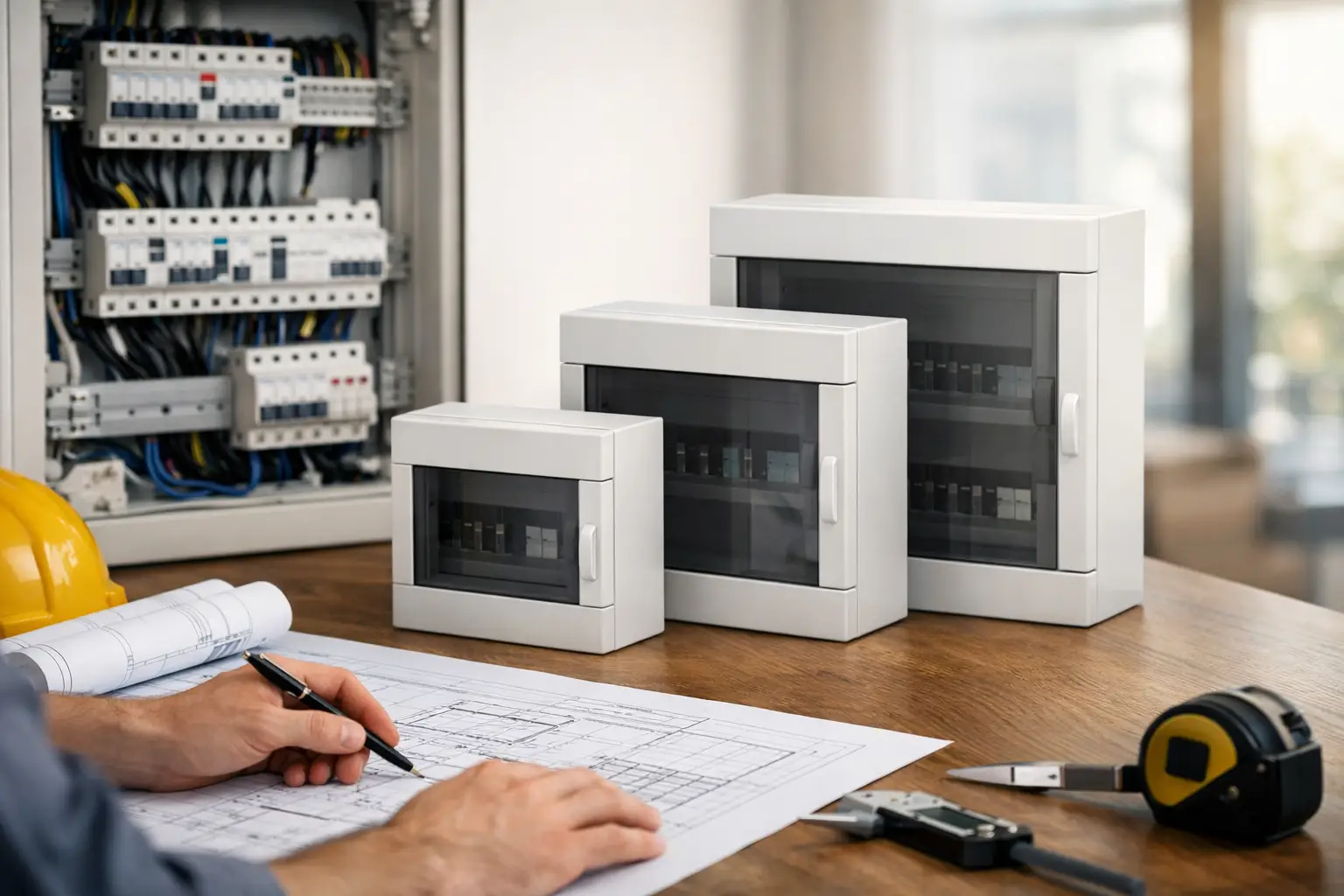
    A power point that cannot support new equipment, lights that trip a circuit during a busy shift, or a switchboard with no room left for expansion can quickly become a business problem. Commercial wiring is the electrical backbone behind safe, productive premises, whether you run a retail shop, office, warehouse, medical practice, café or multi-tenanted property.

    Good wiring is not simply about getting power from the switchboard to a socket. It needs to support how your business operates now, protect people and equipment, and leave practical capacity for what comes next. When it is planned properly, your electrical system works quietly in the background. When it is not, disruptions, safety concerns and expensive reactive work can follow.

    Commercial Wiring Starts With How You Work

    Every commercial site has a different electrical load and operating pattern. A small office may need reliable data cabling pathways, workstation power and efficient lighting. A hospitality venue may require dedicated circuits for refrigeration, cooking equipment and coffee machines. A warehouse can need high-bay lighting, machinery supplies, emergency lighting and outdoor security coverage.

    Before installation or an upgrade begins, a licensed electrician should understand the site rather than make assumptions. That means looking at the existing switchboard, available supply capacity, equipment loads, peak-use times and future plans. A business that expects to add workstations, install air conditioning, introduce specialised machinery or provide EV charging should account for those requirements early.

    This upfront planning avoids a common problem: installing a system that technically works on day one but becomes restrictive as soon as the business changes. Adding circuits later is possible in many cases, but it can cost more and cause greater disruption once ceilings, walls, fit-outs and operations are already in place.

    What a Well-Planned Electrical Design Should Cover

    Commercial electrical design should make day-to-day use simple and safe. Power outlets need to be where staff and equipment genuinely need them, not where they happened to fit during construction. Overreliance on extension leads and power boards is often a sign that the layout no longer suits the space.

    Lighting also deserves careful consideration. The right lighting improves visibility, supports staff comfort and helps present a professional environment for customers. Offices may benefit from low-glare task lighting, while retail spaces need lighting that makes products and walkways clear. External lighting can improve access after dark and support security around entries, car parks and delivery areas.

    Circuit separation matters too. High-demand equipment should not compete with general power where a trip could interrupt essential operations. Dedicated circuits can be appropriate for equipment such as commercial refrigeration, server racks, ovens, pumps, air conditioning or security systems. The right approach depends on the equipment, its load and how critical it is to your operation.

    A capable commercial installation also considers emergency and exit lighting, safety switches, surge protection, switchboard labelling and accessible isolation points. Requirements vary by premises and use, so the work should be assessed for the applicable Australian standards and local obligations.

    Capacity Is More Than the Number of Power Points

    It is easy to judge an electrical system by what is visible: switches, outlets and light fittings. The real limitation is often less obvious. Your incoming supply, main switchboard, circuit protection and cable sizing all influence what the site can safely handle.

    For example, a business may have enough outlets for new equipment but not enough electrical capacity to run it at the same time as existing loads. This is particularly relevant when adding commercial kitchen equipment, larger air conditioning systems, machinery, security infrastructure or EV chargers.

    Load assessment helps identify whether your current installation has room to grow or whether a switchboard upgrade, new circuits or a supply upgrade should be considered. It is a practical conversation to have before signing off on a new fit-out or buying equipment that cannot be used as intended.

    When Commercial Wiring Needs Attention

    Electrical problems do not always arrive as a complete loss of power. Many signs are gradual and easy to overlook while a business is busy. Frequent tripping, flickering lights, warm outlets, damaged switches, buzzing sounds or power boards being used permanently all warrant professional attention.

    Older premises can present additional challenges. Previous renovations may have left circuits poorly labelled, outlets may be insufficient for current use, and switchboards may not provide the level of protection or capacity expected for a modern commercial site. A visual inspection alone cannot confirm the condition of concealed wiring, but testing and assessment can identify issues that need to be addressed.

    Pay particular attention if your business has recently changed its operating hours, installed more equipment or rearranged work areas. What was adequate for a previous tenant or a smaller team may no longer be suitable. Property managers should also consider wiring condition between tenancies, before a new fit-out begins and whenever recurring electrical issues are reported.

    Minimising Disruption During Electrical Work

    Business owners rightly worry about downtime. The solution is not to delay necessary work, but to plan it around the operation. A clear scope of work allows electrical upgrades to be staged, with shutdowns scheduled outside peak trading periods where practical.

    For a fit-out, wiring is often easiest to complete before walls and ceilings are closed. For an occupied site, electricians may be able to work zone by zone, isolate only affected circuits and coordinate access with staff or tenants. The available options depend on the age of the installation, the extent of the work and whether critical equipment must remain operating.

    Clear communication is as valuable as technical skill. You should know what work is being completed, which areas will be affected, whether power interruptions are expected and what testing will take place before the area is returned to service. Transparent quoting also helps avoid surprises when additional work is genuinely required.

    Commercial Wiring and Integrated Security

    Electrical planning and security planning should not be treated as separate issues. Cameras, access control, alarms, intercoms and monitored equipment all rely on dependable power and sensible cable routes. Retrofitting these systems after a premises is complete can mean more surface conduit, extra patching and less flexibility in device placement.

    When security is included early, power and communications can be positioned with entrances, blind spots, loading areas and staff-only zones in mind. Backup power requirements may also need consideration for systems that must remain available during an outage. The best setup depends on the risks at the property and the level of access control or monitoring required.

    Bringing electrical, lighting and security work into one plan can reduce duplicated site visits and ensure each part of the installation supports the others. It also gives business owners one clearer point of responsibility when questions arise.

    Choosing a Commercial Electrician

    Commercial work calls for more than a quick repair. Look for a licensed electrician who takes the time to understand the site, explains the proposed work in plain language and provides a clear quote. They should be willing to discuss capacity, safety, staging and future expansion rather than only replacing the item that has failed.

    Ask how the work will be tested, documented and handed over. Proper circuit labelling and clear records make future maintenance safer and faster, especially for property managers and businesses with multiple staff members responsible for the site.

    It is also worth considering responsiveness. Electrical faults can affect trading, staff safety, refrigeration, security and tenant comfort. A dependable trade partner who communicates clearly and attends as agreed can make a significant difference when an issue needs prompt attention.

    For new installations and upgrades, Voltricity provides commercial electrical solutions built around safe workmanship, practical planning and minimal disruption. A site assessment can help turn an uncertain electrical concern into a clear scope of work, so your premises is ready to support the way your business operates.

  • How to Choose an Outdoor Lighting Installer

    How to Choose an Outdoor Lighting Installer

    A well-lit path should feel effortless to use after dark. The same goes for a driveway, garden steps, a shop entrance or a shared car park. When lighting is poorly planned, however, it can create glare, dark spots, water-damaged fittings and avoidable safety risks. Choosing the right outdoor lighting installer helps you get a practical result that looks considered, works reliably and is installed safely.

    Outdoor lighting is more than placing a few fittings around the property. It needs to suit how people move through the space, hold up to Australian weather conditions and connect correctly with your existing electrical system. For homes and businesses alike, professional advice early in the process can prevent costly changes later.

    What a good outdoor lighting installer should provide

    A qualified electrician should begin by understanding the purpose of the lighting. You may want safer access from the driveway to the front door, better visibility around a pool area, improved kerb appeal, security around a commercial building, or a combination of all four. The right solution depends on the property, its layout and how the area is used after dark.

    A proper site assessment matters. An experienced installer will look at existing power access, switchboard capacity where relevant, cable routes, drainage, landscaping, mounting surfaces and likely exposure to rain, heat and dust. They should also consider neighbouring properties. A bright floodlight pointing into someone else’s windows is not good security lighting, and it is unlikely to be welcome.

    Clear communication is equally important. You should receive straightforward advice on suitable fittings, control options, expected installation requirements and pricing. If a project has variables, such as concealed underground cabling or unknown conditions in an older property, those should be explained before work begins rather than appearing as a surprise on the invoice.

    Start with the job your lighting needs to do

    The most attractive lighting scheme is not always the most useful one. Start by identifying what you need the lights to achieve, then choose fittings and placement around that goal.

    Safe movement around the property

    Paths, stairs, level changes and entrances benefit from low-glare lighting that makes edges and obstacles easy to see. Bollard lights, step lights and carefully aimed wall lights can guide people without making the garden feel overlit. In residential settings, warm light often creates a more welcoming result, while still providing enough visibility for everyday use.

    For strata properties, rentals and commercial sites, safety lighting should also support reliable access for residents, staff, visitors and contractors. Timers, daylight sensors and motion sensors can reduce unnecessary energy use while ensuring key access areas are not left in darkness.

    Security and visibility

    Security lighting works best when it is targeted. Entrances, side passages, loading areas, bins, gates and rear access points are common priorities. Motion-activated fittings can be effective in lower-traffic areas, but they need sensible positioning. Poorly aimed sensors can trigger repeatedly from passing cars, pets or moving branches.

    Lighting can also complement cameras, access control and alarm systems. It should not create harsh reflections or washed-out camera footage. If you are upgrading several security features at once, using one electrical provider to coordinate the work can make planning simpler and help avoid clashes between systems.

    Landscape and architectural appeal

    Garden and feature lighting is where restraint pays off. Uplighting a mature tree, washing a textured wall with light, or highlighting a planting bed can add depth to an outdoor area. The aim is to create layers, not turn the yard into a stadium.

    Fitting placement should account for future plant growth, garden maintenance and irrigation. A light that looks perfect beside a small shrub may be completely hidden in a year. Quality installation considers the property as it will be used over time, not only how it looks on installation day.

    Choose fittings made for outdoor conditions

    Outdoor electrical fittings need to cope with their environment. Rain, coastal air, UV exposure, insects, lawn care and temperature changes all affect performance. The cheapest fitting is rarely the best value if its seals fail early, its finish deteriorates or replacement parts are hard to source.

    Ask your installer about the fitting’s ingress protection rating, material and intended location. A protected alfresco wall is very different from an exposed garden bed or driveway entrance. In coastal areas, corrosion resistance deserves particular attention. Durable fittings may cost more upfront, but they can reduce maintenance and premature replacement.

    LED lighting is usually the sensible choice for new outdoor work because it uses less energy and offers a long service life. Even so, not all LED products perform the same. Colour temperature, beam angle, driver quality and heat management all influence the final result. A qualified electrician can recommend options that suit the task rather than simply selecting the brightest available light.

    Controls make lighting more useful

    The best outdoor lighting is easy to live with. Controls can be simple, such as a standard switch for entertaining areas, or more automated through timers, sensors and smart controls. There is no single right setup.

    A sensor may suit a side gate or bin area, while a timer can be better for a business frontage that needs consistent lighting each evening. For homes, smart controls can be useful when you want to manage selected lights from a mobile or create routines while away. The trade-off is that advanced systems need compatible products, reliable configuration and a clear plan for who will manage them.

    It is worth discussing manual override options too. You should be able to keep lights on when hosting guests, carrying out work outside or responding to an issue after hours. Convenience should never come at the expense of practical control.

    Why licensed installation matters

    Outdoor lighting often involves work that is out of sight once complete: cabling beneath soil or paving, connections within walls, weatherproof enclosures and protective electrical devices. This is not an area for shortcuts or unlicensed work.

    A licensed electrician understands how to install and protect outdoor circuits safely, select suitable components and test the completed installation. They can also identify whether existing wiring, earthing or switchboard protection needs attention before new lighting is added. This is especially valuable in older homes, renovations and commercial premises where previous alterations may not be clearly documented.

    Professional installation also protects the finish of your property. Careful cable routing, neat mounting, sensible positioning and clean reinstatement make a real difference. Good workmanship is visible in the details, even when much of the electrical work sits behind the scenes.

    Questions to ask before you book

    Before choosing an outdoor lighting installer, ask whether they are licensed and insured, how they will assess the site, and whether they can provide a clear scope of work. It is also reasonable to ask about fitting quality, warranty arrangements, expected timeframes and whether the quote includes testing and commissioning.

    For larger projects, request a lighting plan or walk through the proposed locations together. This is the best time to check that fixtures will not obstruct gates, interfere with gardens, shine into bedrooms or create trip hazards. If your property has a pool, retaining walls, new paving or planned landscaping, mention it early so the electrical work can be coordinated properly.

    A dependable contractor will not pressure you into unnecessary additions. They will explain where spending more improves safety, longevity or performance, and where a simpler option is likely to do the job just as well.

    Plan for maintenance, not just installation

    Even quality outdoor lighting benefits from occasional attention. Leaves can cover sensors, soil can shift around garden fittings, and storms can damage exposed equipment. Checking fittings periodically helps maintain both appearance and safe operation.

    If a light begins tripping a circuit, flickering, filling with moisture or failing repeatedly, arrange an electrical inspection rather than replacing bulbs and hoping for the best. Recurring faults can point to a damaged fitting, a connection issue or a circuit that needs professional attention.

    Voltricity provides outdoor lighting solutions with a focus on safe installation, quality workmanship and clear advice. Whether you are improving a family home’s entry, updating a shared property or planning lighting for a business site, the right design begins with a conversation about how the space needs to work after dark.

    Good outdoor lighting should make a property safer, easier to use and more inviting without demanding attention every night. Choose an installer who listens to the practical details, explains the options clearly and treats the work as a long-term investment in your property.

  • Power Point Installation Guide for Safer Spaces

    Power Point Installation Guide for Safer Spaces

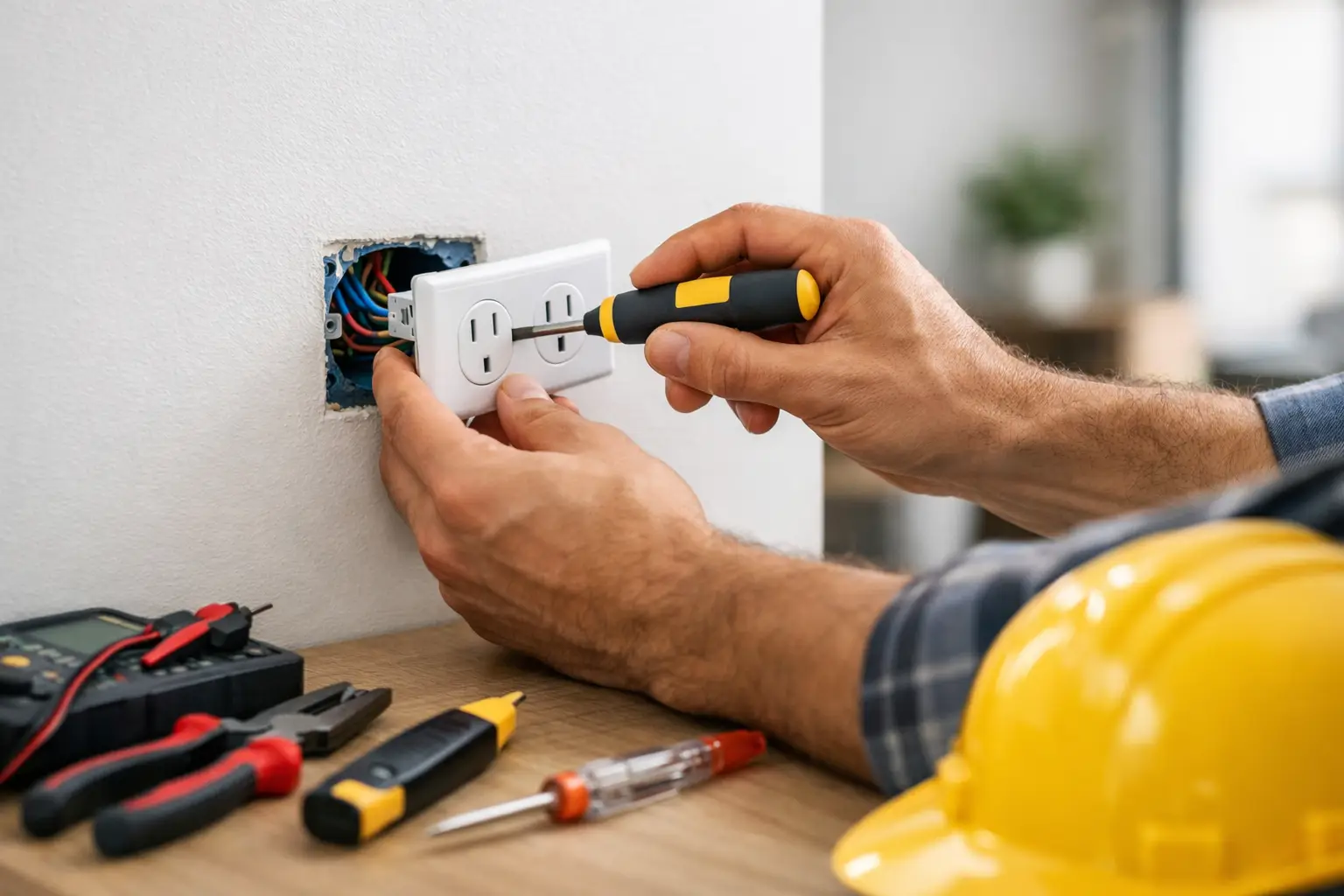
    A power point in the wrong spot becomes a daily frustration. It can leave cables crossing walkways, force appliances onto overloaded power boards, or make a freshly renovated room less practical than it should be. This power point installation guide helps homeowners, property managers and business operators plan outlets that are safe, useful and built for how the space is actually used.

    Installing or moving a power point is not a DIY job. In Australia, fixed electrical work must be completed by a licensed electrician and tested before it is put into service. The good news is that good planning before the electrician arrives can make the process quicker, clearer and more cost-effective.

    Start with how the room is used

    The best outlet layout is based on real behaviour, not just what looks balanced on a wall. Walk through each room and consider where furniture sits, where people charge devices and which appliances need permanent power. A bedroom may need outlets on both sides of the bed. A living area may need allowance for a TV, modem, lamp and occasional charging. In a commercial space, workstations, printers, point-of-sale equipment and cleaning equipment all need consideration.

    Think ahead as well. A room that is currently a nursery may later become a study. A spare bedroom may become a home office. Planning for these changes during a renovation can avoid opening walls again later.

    Avoid relying on extension leads as a long-term solution. They are useful for temporary needs, but permanent cables running under rugs, across doorways or behind furniture can create trip, heat and damage risks. A properly positioned outlet is safer and far more convenient.

    Power point installation guide: choosing the right location

    Location affects both safety and usability. An electrician will assess what is possible within the wall or building structure, but a clear brief gives them a strong starting point.

    In living rooms, outlets are usually most useful near entertainment units, reading corners and seating areas. Consider whether wall-mounted televisions will need concealed cabling and a dedicated outlet behind the screen. This can create a cleaner finish and reduce visible leads.

    Kitchens require extra care because power points sit near water, heat and high-use appliances. You may need separate outlets for benchtop appliances such as kettles, coffee machines and toasters, particularly if several are used at once. The position must meet required clearance rules from sinks and cooktops, so do not assume an outlet can go anywhere along a splashback.

    Bathrooms, laundries and outdoor areas also have strict location and protection requirements. Moisture changes the risk level, and the right equipment, circuit protection and placement matter. For outdoor entertaining spaces, consider weatherproof outlets for lighting, garden tools, sound systems or a fridge, rather than using indoor extension leads through a doorway.

    For offices and retail premises, keep outlets accessible without creating cable clutter. Floor boxes, wall outlets near workstations and dedicated supply for specialised equipment can all be appropriate, depending on the fit-out and building construction.

    Match the outlet to the load

    Not every appliance should share the same circuit. Everyday plug-in items such as lamps, chargers and televisions are generally straightforward, but high-demand appliances may require dedicated circuits or a broader electrical assessment.

    Air conditioners, ovens, cooktops, dryers, dishwashers, pool equipment and EV chargers can place significant demand on an installation. Adding more outlets will not solve a capacity problem if the switchboard, wiring or existing circuit is already working close to its limit.

    This is especially relevant in older homes and commercial properties that have grown over time. A building may have gained air conditioning, new appliances, security equipment or extra workstations without a corresponding electrical upgrade. Signs of concern include breakers that trip regularly, warm outlets, flickering lights, buzzing sounds or discoloured faceplates. These issues need prompt attention from a licensed electrician.

    A professional assessment may identify that a new circuit, safety switch protection or a switchboard upgrade is the safer option. It depends on the property’s age, wiring condition, existing loads and the equipment you intend to use.

    Choose practical outlet features

    A standard double power point suits many rooms, but it is not the only option. The right choice should reflect the setting and the people using it.

    USB charging outlets can be handy beside beds, in kitchens or at reception desks, reducing the need for charging adaptors. Outlets with integrated USB-C charging may suit newer devices, although conventional sockets are still needed for many appliances. In family homes, shutters can provide an added measure of protection where young children are present.

    For areas exposed to dust, rain or cleaning, weatherproof outlets and suitable covers are essential. In workshops, garages and commercial environments, tougher accessories may be better suited to regular use. A licensed electrician can recommend products that are appropriate for the location rather than simply selecting the cheapest fitting.

    Finish also matters in visible spaces. White remains a practical choice, but black, brushed metal and other styles can complement modern kitchens, offices and renovations. Appearance should come after safety and compliance, but there is no reason a well-installed outlet cannot do both jobs well.

    What happens during professional installation?

    The process normally begins with a site inspection or a detailed discussion of the room, equipment and preferred outlet positions. Your electrician will check access to wiring, wall construction, available circuit capacity and any factors that may affect the scope, such as tiled walls, concrete surfaces or heritage features.

    They will then explain the recommended approach and provide transparent pricing for the agreed work. In some cases, adding an outlet is relatively simple. In others, the cable route may require ceiling access, wall repair, a new circuit or switchboard work. Clear communication upfront helps prevent surprises once work begins.

    During installation, the electrician isolates the relevant supply, installs compliant cabling and accessories, and tests the completed work. They should leave the area tidy and provide the required certification for the electrical work carried out. Keep this documentation with your property records, particularly for rental properties, commercial sites and future renovations.

    Prepare before your electrician arrives

    You do not need electrical knowledge to make the appointment productive. Take a few photos of each room, mark your preferred positions and write down which appliances will be used there. If a power board is currently doing too much work, photograph what is plugged into it. This gives the electrician a useful picture of demand.

    Move fragile items and furniture away from the work area where possible. If you are renovating, coordinate outlet locations before plastering, cabinetry or tiling is complete. Electrical rough-in work is much easier and usually less disruptive before walls and finishes are closed up.

    For property managers and business operators, confirm access arrangements and identify any trading hours or tenant requirements. A planned installation can often be scheduled to minimise disruption to residents, staff and customers.

    When to arrange an electrical review

    New outlets are often part of a bigger decision. Arrange a professional review if you are renovating, adding a home office, upgrading a kitchen, fitting out a tenancy, installing new security equipment or preparing for an EV charger. These projects affect how your electrical system is used, and addressing capacity early protects the quality of the finished result.

    Voltricity can assess your existing installation, recommend practical outlet locations and complete compliant work with the care expected in occupied homes and active businesses. The aim is not simply to add another socket. It is to give you safe, reliable access to power where it makes a genuine difference every day.

    A well-planned power point installation should fade into the background once the job is done. Your rooms work better, cables stay under control, and you can use the equipment you need with greater confidence.

  • Do EV Chargers Need WiFi? What Matters at Home

    Do EV Chargers Need WiFi? What Matters at Home

    A new EV charger can look like a simple addition to the garage, but homeowners often pause at one practical question: do EV chargers need Wi‑Fi? The short answer is no. A properly installed charger can deliver safe, reliable charging without a Wi‑Fi connection. Wi‑Fi can add useful features, though, particularly if you want to monitor electricity use, schedule charging or manage more than one charger.

    The right choice depends less on the charger itself and more on how you use your vehicle, your internet coverage at the switchboard or car park, and whether your electrical system is ready for the extra load.

    Do EV chargers need Wi‑Fi to charge?

    No. Most home EV chargers are designed to charge a vehicle locally, even when the internet is down or the charger has never been connected to Wi‑Fi. Once the vehicle is plugged in and the charger has been installed and commissioned correctly, it can supply power based on its built-in settings.

    For many households, that is all they need. You arrive home, plug in after dinner and wake up with enough range for the next day. A charger with no internet connection can still be a major upgrade over a standard power point, offering faster charging, a dedicated circuit and safety protections suited to ongoing EV use.

    There is an important distinction here: a charger may be called “smart” because it has app features, but that does not necessarily mean it stops working without Wi‑Fi. In most cases, Wi‑Fi affects remote functions rather than the fundamental charging process. The exact behaviour varies by manufacturer and model, so it is worth confirming this before purchase if offline operation matters to you.

    What Wi‑Fi adds to an EV charger

    Connectivity is useful when it solves a real problem in your household or business. It is not simply a feature to have because it is available.

    A connected charger can usually show charging status and energy consumption in an app. This is helpful if you want to check whether the vehicle is charging without walking to the garage, or if you are comparing EV running costs with your household electricity use.

    Wi‑Fi also makes scheduled charging easier. If your electricity retailer offers lower off-peak rates overnight, you may be able to set the charger to start when rates are cheaper. Some vehicles can schedule charging independently, so this feature may be optional rather than essential. The best approach is to look at which controls you will actually use, rather than paying for duplicate functionality.

    Software updates are another benefit. Manufacturers may release improvements to app functions, compatibility or load-management settings. A connected charger can often receive these updates remotely, while an offline unit may need an electrician or manufacturer support process to update it.

    For households with solar, compatible smart chargers can sometimes adjust charging according to solar generation. This can help direct surplus daytime solar power into the vehicle instead of exporting it to the grid. It depends on the charger, inverter, meter arrangement and control system, so it should be planned as part of the installation rather than assumed.

    When an offline charger is the better option

    Not every garage has reliable Wi‑Fi. Detached garages, concrete walls, metal sheds and basement car parks can all weaken a wireless signal. A charger that relies heavily on an app may become frustrating if it regularly drops offline.

    An offline-capable charger is often a sensible choice for straightforward home charging, rental properties where the owner wants a dependable fixed solution, or sites with limited internet access. It also avoids adding another connected device to a home network where simplicity is the priority.

    This does not mean choosing a basic or lower-quality installation. The electrical design still matters. Your electrician needs to assess the existing switchboard, available capacity, cable route, circuit protection and charger location. A reliable charger is built on correct installation and suitable electrical infrastructure, not just an internet connection.

    Wi‑Fi is not the only connectivity option

    Wi‑Fi is common, but it is not the only way a charger can communicate. Some units use Ethernet, which provides a physical network connection and can be more stable where cabling is practical. Others use a mobile network connection, often through an in-built SIM or separate data service.

    For commercial sites and apartment buildings, wired Ethernet or mobile connectivity may be more practical than asking every charger to connect to a local Wi‑Fi network. These sites may need central reporting, user access controls, billing or remote fault monitoring. The connection method should suit the building and management requirements.

    It is also worth understanding that some public and workplace chargers depend on a network connection for payment, access or usage reporting. If that connection fails, the charger may still be technically capable of supplying power but unavailable to users until the network is restored. That is very different from a private home charger, where the owner can usually keep charging locally.

    Wi‑Fi, load management and your switchboard

    One of the most valuable smart-charger features is dynamic load management. This allows a charger to reduce or increase its charging output based on how much power the property is using at the time. For example, it can avoid adding maximum EV load while the air conditioner, oven and hot water system are all running.

    Some load-management systems communicate directly through dedicated hardware or wiring rather than Wi‑Fi. Others use a combination of local connection and internet-based controls. The details matter because load management is fundamentally a safety and capacity issue, not just an app convenience.

    Before installing an EV charger, a licensed electrician should assess whether your existing supply and switchboard can support the additional demand. Older homes, properties with electric cooking and heating, or homes planning solar batteries and other upgrades may need a switchboard upgrade, a supply assessment or a charger configured to a lower output.

    A Wi‑Fi-enabled charger cannot compensate for an undersized circuit, outdated protection devices or poor installation. The right equipment needs to be matched to the property from the beginning.

    Practical questions to ask before choosing a charger

    Start with your daily driving distance and how long the vehicle is normally parked at home. Someone driving modest distances and parking overnight may not need the fastest charger or advanced remote controls. A household with two EVs, irregular work hours or high daytime solar production may gain more from smart scheduling and energy monitoring.

    Then consider the physical location. Check whether your home Wi‑Fi reaches the intended charger position reliably. A quick mobile test can be useful, but it is not a substitute for considering the charger’s permanent location, walls, distance and network equipment. If the signal is weak, options may include improving Wi‑Fi coverage, using Ethernet where practical, selecting a charger with mobile connectivity, or simply choosing a model that works well offline.

    For strata properties, workplaces and managed car parks, ask who will control access, pay for electricity, approve equipment and maintain the system. These questions often shape the charging solution more than the choice between Wi‑Fi and no Wi‑Fi.

    A safer way to plan your EV charging setup

    An EV charger is a high-load electrical appliance that may run for hours at a time. It should be installed on a dedicated circuit by a licensed electrician, with appropriate protection and configuration for the charger and property. Avoid treating it like a standard appliance purchase where the app features are the main decision.

    A site assessment gives you a clearer picture of what is needed. It can identify switchboard limitations, recommend the right charger capacity, assess cable routes and confirm whether connectivity features will be useful at your location. It also creates an opportunity to plan for future needs, such as a second EV, solar integration or an upgraded electrical supply.

    Voltricity can help homeowners and businesses select and install an EV charging solution that suits their property, electrical capacity and everyday routine. The aim is dependable charging first, with smart features added where they deliver genuine value.

    The best charger is not necessarily the one with the longest feature list. It is the one that charges your vehicle safely, fits your property and continues working when you need it most – whether the Wi‑Fi is on or off.

  • How to Choose Switchboard Size for Your Property

    How to Choose Switchboard Size for Your Property

    A switchboard can look like a simple row of switches, but it is the control point for every circuit that keeps your property working safely. Knowing how to choose switchboard size is not about selecting the biggest enclosure available. It is about allowing for your current electrical load, required safety devices and the practical changes your property may need in the years ahead.

    For a homeowner, that may mean making room for an induction cooktop, air conditioning, rooftop solar or an EV charger. For a business, it may involve new equipment, tenancy changes, emergency lighting or security infrastructure. A correctly sized switchboard helps those upgrades happen safely, without turning a small electrical change into a major rework.

    Start with the circuits your property needs

    Switchboard size is often discussed in terms of the number of poles or module spaces available. Put simply, each circuit and safety device requires space in the board. A small property with lighting, power, hot water and one air conditioner needs fewer circuits than a larger home with multiple appliances, pool equipment and an EV charger.

    The right starting point is a circuit schedule. A licensed electrician identifies what is already connected, how the circuits are arranged and whether they meet current safety expectations. In a typical home, separate circuits may be needed for lighting, general power, cooking appliances, hot water, air conditioning, smoke alarms, a shed or garage, pool equipment and outdoor power.

    It is tempting to combine circuits to save space. That can be inconvenient and, in some cases, unsuitable. If one fault trips a combined circuit, you may lose more of the property than necessary. Separate, well-planned circuits make faults easier to isolate and reduce disruption.

    Commercial properties need a more detailed review. A small office, retail shop, workshop or strata common area may have dedicated circuits for HVAC, refrigeration, data equipment, signage, emergency systems, access control, alarms and CCTV. The more critical the load, the more important it is to plan circuit separation and board capacity properly.

    How to choose switchboard size with future space

    The most common sizing mistake is choosing a board that only fits today’s requirements. A switchboard upgrade should usually provide spare capacity for planned and likely additions. Empty module spaces cost far less at installation than replacing or extending a full switchboard later.

    Future capacity does not mean guessing wildly. It means having a sensible conversation about how you use the property. Consider whether you may add:

    • rooftop solar and battery storage
    • an EV charger
    • induction cooking or an electric oven upgrade
    • split-system or ducted air conditioning
    • a pool, spa, workshop or garden equipment
    • CCTV, intercoms, access control or alarm systems
    • an extension, granny flat or additional tenancy fit-out

    For many homes, EV charging is the change that exposes an undersized or outdated board. A charger can be a significant electrical load and may require a dedicated circuit, suitable protection and a review of the property’s overall supply capacity. Solar systems also introduce additional equipment and connections that must be planned into the switchboard layout.

    The answer is not automatically to install an oversized board. A larger enclosure can be unnecessary where the electrical supply, meter arrangement or property load does not support expansion. The goal is an appropriately sized board with orderly spare ways and a design that supports realistic upgrades.

    Board space is only one part of capacity

    A physically larger switchboard does not automatically mean your property can safely run more equipment. Electrical capacity depends on the incoming supply, main switch rating, cabling, protective devices and the calculated demand of connected loads.

    For example, a home may have plenty of spare module spaces but still need an assessment before adding a high-powered EV charger, large ducted air conditioning system or extensive electric cooking. If the anticipated demand approaches the limits of the existing supply, the electrician may recommend load management, changes to appliance selection or an upgrade to the consumer mains or supply arrangement.

    This is particularly relevant in older properties. Older switchboards may contain ceramic fuses, ageing wiring, inadequate earthing or limited capacity that is not obvious from the outside. Replacing a fuse board with modern circuit breakers and safety switches can improve protection, but the connected wiring and supply still need to be assessed as part of the job.

    In commercial settings, the question may be whether single-phase supply is adequate or whether three-phase supply is needed. Three-phase systems are common where premises run larger air conditioning, machinery, commercial kitchen equipment or multiple high-load circuits. The correct choice depends on actual demand and the way equipment needs to operate, not simply the size of the premises.

    Allow for modern safety devices

    A modern switchboard needs room not only for circuit breakers, but also for the safety devices that protect people and property. Depending on the installation and applicable requirements, this can include safety switches, also known as RCDs, and RCBOs, which combine circuit-breaker and safety-switch functions in one device.

    These devices need to be selected and arranged correctly. While a shared safety switch can protect more than one circuit, a fault on one circuit may switch off all circuits connected to it. RCBOs can provide more targeted protection, which is often useful for homes and businesses where nuisance tripping would be disruptive.

    Surge protection is another consideration worth discussing. It can help protect sensitive appliances and electronics from voltage surges, although it is not a substitute for sound wiring, earthing and appropriate protective devices. Homes with solar, smart appliances, security systems and valuable electronics may benefit from a switchboard design that considers this protection from the outset.

    Your electrician should also consider clear labelling, safe access, heat management and the board’s location. A crowded enclosure with unclear circuit labels makes testing, maintenance and emergency isolation harder than it needs to be.

    Match the switchboard to the type of property

    There is no one standard switchboard size for every home or business. A compact unit may suit a small apartment with modest electrical demand, while a family home undergoing renovation may need a much larger board with dedicated circuits and spare capacity.

    Rental properties and strata sites need particular care. Property managers may need to account for common-area lighting, gates, pumps, emergency equipment and separate tenancy metering arrangements. Easy identification of circuits and equipment is valuable when urgent repairs are needed.

    For businesses, switchboard selection should also reflect operational downtime. A café may need circuits arranged so refrigeration and essential equipment are not unnecessarily affected by a fault elsewhere. A retail store may prioritise lighting, point-of-sale systems and security. A workshop may require dedicated protection for machinery and provision for future equipment. The best layout is one that supports safe operation and practical fault finding.

    Signs your existing switchboard may be too small

    Some warning signs relate to capacity, while others point to age or condition. Frequent tripping, overheating, buzzing, burnt smells, damaged covers, loose fittings and repeated blown fuses all warrant prompt attention from a licensed electrician.

    Capacity concerns can also appear when there are no spare spaces for a new circuit, extension leads are doing work that permanent outlets should handle, or recent upgrades have been added in an untidy way. If you are planning solar, EV charging, a renovation or a security system, an assessment before installation can prevent delays and unexpected costs.

    Do not remove covers or attempt to rearrange switchboard components yourself. Even a board that appears straightforward contains live parts and needs to be inspected and altered by a licensed electrician.

    What a professional switchboard assessment should cover

    A proper assessment looks beyond counting empty slots. Your electrician should review the condition of the existing board, protective devices, cabling visible at the board, earthing arrangements, main supply capacity and the loads you intend to add. They should also ask how the property is used now and what changes are likely.

    For a clear quote, ask whether the proposed work includes a new enclosure, circuit protection, safety switches or RCBOs, labelling, testing, compliance documentation and any required repairs or upgrades discovered during inspection. Transparent scope matters because an old switchboard can reveal issues that are not visible until the work begins.

    At Voltricity, switchboard advice is based on the property, its electrical demand and the improvements you have planned. That gives homeowners, property managers and business operators a practical path forward rather than a one-size-fits-all recommendation.

    A well-sized switchboard should give you confidence, not just extra empty spaces. If your electrical needs are changing, arrange an assessment before the next appliance or upgrade forces the issue. It is a straightforward step that can protect your property, support future plans and make everyday power safer to rely on.