Category: Blog

Your blog category

  • RCD Protection Comparison: What Your Property Needs

    RCD Protection Comparison: What Your Property Needs

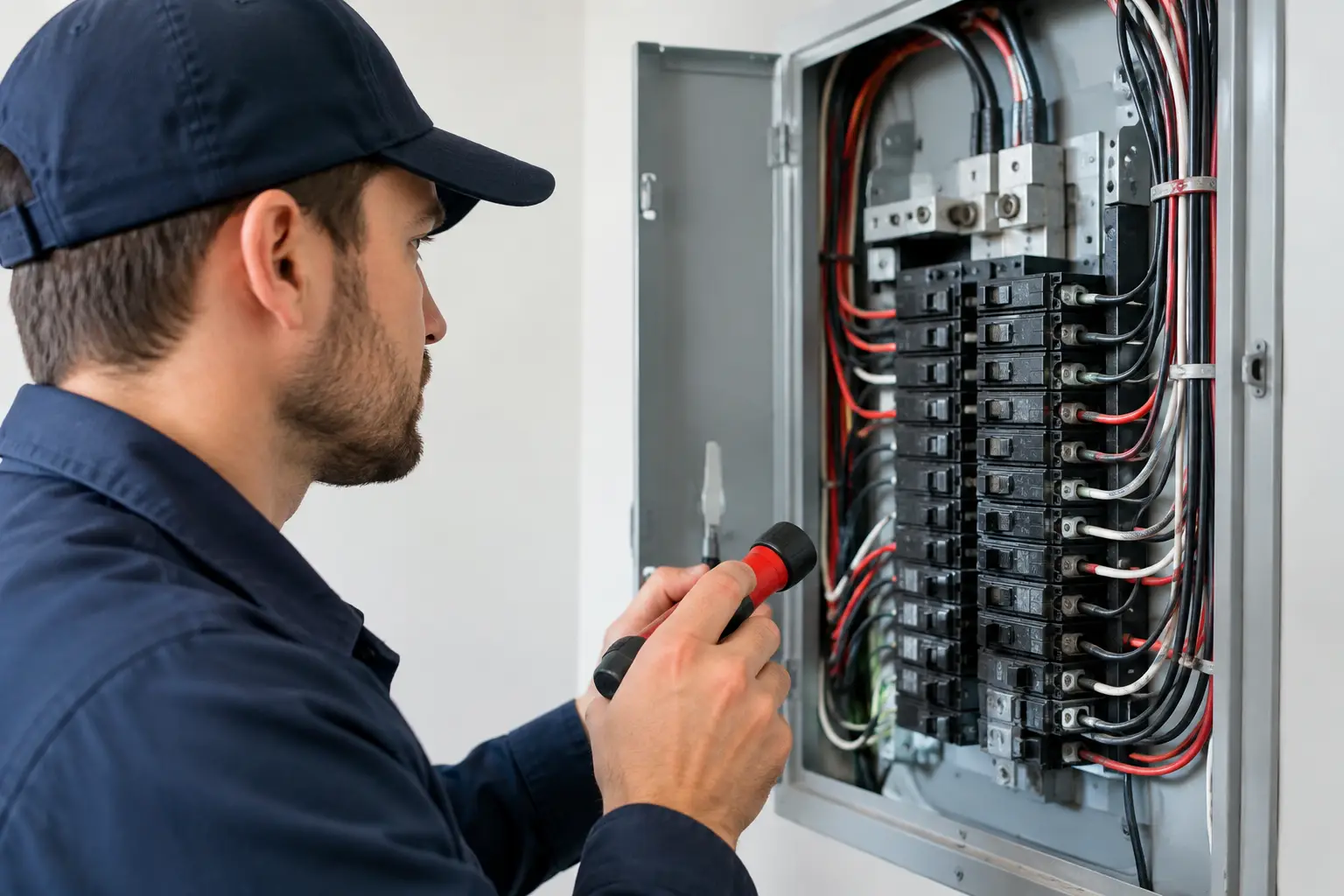
    A safety switch that trips occasionally can be inconvenient. One that does not operate when it should can be life-threatening. This RCD protection comparison helps homeowners, property managers and business operators understand the practical differences between common protection options – and why the right choice starts with a properly assessed switchboard.

    What an RCD does – and what it does not do

    An RCD, or residual current device, monitors the electricity flowing through a circuit. Under normal conditions, the current leaving on the active conductor should equal the current returning on the neutral. If some current leaks elsewhere, potentially through damaged insulation, faulty equipment or a person, the RCD detects the imbalance and disconnects the supply quickly.

    In Australian homes, RCDs are commonly called safety switches. They provide an essential layer of protection against electric shock, but they are not a substitute for safe appliances, sound wiring or a compliant installation. They also do not automatically protect against every electrical fault.

    A standard circuit breaker protects wiring from overloads and short circuits. An RCD responds to earth leakage. These are different hazards, which is why modern switchboards often use equipment that provides both functions.

    RCD protection comparison: safety switch, RCBO or portable unit?

    The best option depends on the age and layout of the installation, the circuits being protected and how much continuity matters to the property. A family home, a tenancy with shared services and a business with refrigeration or IT equipment may all need different solutions.

    RCDs protecting multiple circuits

    A conventional switchboard RCD can protect several circuit breakers at once. This arrangement is common in older switchboards and can be an effective, compliant solution when correctly installed and tested.

    Its main advantage is simplicity. It can be a practical upgrade where switchboard space, budget or the existing board design makes individual protection less suitable. However, there is a trade-off: one fault can switch off several circuits at the same time.

    For a home, that could mean the lights, power points and fridge in more than one area lose power while you locate the problem. In a commercial setting, it can interrupt several work areas, equipment circuits or security-related loads. The fault may be minor, but the impact can be larger than necessary.

    RCBOs for individual circuit protection

    An RCBO combines RCD protection and circuit-breaker protection in one device. Rather than one safety switch covering a group of circuits, each selected circuit has its own protection.

    This approach offers better fault separation. If a fault develops on the dishwasher circuit, for example, an RCBO can isolate that circuit while lighting, refrigeration and other power circuits remain available. For businesses, this can reduce disruption and make fault finding faster.

    RCBOs are often the preferred choice for switchboard upgrades, renovations and new installations because they provide a cleaner, more resilient arrangement. They are particularly useful where reliable power matters, such as home offices, medical equipment circuits, server equipment, alarm systems, EV chargers or commercial refrigeration.

    The initial cost is generally higher than fitting shared RCD protection, especially if a switchboard needs reconfiguration or replacement. Yet the investment can be worthwhile when avoiding unnecessary outages is important. A licensed electrician can advise whether the board has enough room and whether the incoming supply, enclosure and existing wiring are suitable.

    Portable RCDs for temporary work

    A portable RCD is a plug-in device used between a power point and a lead or appliance. It can provide an added level of personal protection for temporary work, particularly outdoors, in workshops or on building sites where a fixed protected supply is not available.

    Portable units are useful, but they are not a replacement for fixed RCD protection at the switchboard. They protect only what is plugged into them, can be damaged or bypassed, and need to be checked before use. A portable device also cannot correct deteriorated wiring, an overloaded circuit or a poorly installed outlet.

    For temporary equipment, choose a suitable device in good condition and keep leads protected from water, sharp edges and vehicle traffic. If the same temporary arrangement is becoming permanent, it is time to have a licensed electrician install a proper circuit.

    Choosing the right RCD type matters

    Not all electrical loads behave the same way. Modern properties contain more electronics than ever: induction cooktops, solar equipment, heat pumps, variable-speed air conditioners, LED drivers, data equipment and EV chargers all influence the way a protection system should be designed.

    The RCD type must suit the equipment and the circuit. Type AC devices have traditionally been used for certain alternating-current fault conditions, while Type A devices are designed to respond to additional pulsating DC residual currents produced by many electronic loads. Some specialised equipment may have manufacturer requirements for other RCD arrangements.

    This is not a detail to guess at when purchasing a device. The incorrect RCD type may fail to provide the intended protection or may cause nuisance tripping. EV charging equipment is a good example: its circuit must be designed around the charger manufacturer’s requirements, the electrical installation and applicable Australian rules.

    A professional assessment is also valuable when adding solar, battery storage, commercial machinery or new security infrastructure. The protection strategy needs to work across the whole installation, not just the newest item plugged into it.

    Why safety switches trip – and when to act

    An RCD trip is a warning worth investigating. It may be caused by moisture in an outdoor fitting, a damaged extension lead, a failing appliance, accumulated leakage across several devices or a wiring fault. Resetting it once after disconnecting appliances can help identify an obvious issue, but repeated tripping should not be ignored.

    Start by turning off or unplugging appliances on the affected circuit. Reset the device, then reconnect items one at a time. If it trips again with nothing connected, if it will not reset, or if you notice burning smells, buzzing, heat, damage or discoloured outlets, leave it off and arrange an electrician promptly.

    Do not keep resetting a safety switch to get through the day. Repeated resets can mask a developing fault and leave people or property exposed. For a business, this is also a reliability issue: repeated outages can damage stock, interrupt operations and create uncertainty for staff and customers.

    Testing and maintenance are part of protection

    RCD protection only helps when the device is operating correctly. Most units have a test button, usually marked T or Test. Pressing it should trip the device and cut power to the circuits it protects. The device can then be reset.

    Manufacturers commonly recommend regular user testing, but the correct interval and maintenance obligations can vary by equipment, property use and workplace requirements. Commercial and rental properties may also have specific inspection, testing and record-keeping responsibilities. If you manage a site, do not assume a test button check covers every obligation.

    Testing should be planned around the circuits affected. Let occupants know beforehand, protect sensitive equipment where required and check that essential systems recover correctly afterwards. A licensed electrician can carry out proper testing, identify failed or unsuitable devices and document work where needed.

    When a switchboard upgrade is the better answer

    An RCD issue sometimes reveals a larger switchboard problem. Ceramic fuses, crowded enclosures, missing circuit labels, undersized equipment, damaged covers or a lack of available capacity can make piecemeal changes less effective.

    A switchboard upgrade can provide correctly rated RCBOs, clear labelling, safer enclosure arrangements and capacity for planned additions such as air conditioning, a renovation, an EV charger or upgraded security. It also gives the electrician an opportunity to assess the condition of connections and the overall protection arrangement.

    There is no one-size-fits-all answer in an RCD protection comparison. Shared RCDs can be appropriate in some installations, while individual RCBOs offer stronger fault separation and reduced downtime. The right design balances safety, compliance, future loads and the practical needs of the people using the property.

    If a safety switch is tripping, your board is outdated, or you are planning an electrical upgrade, arrange a licensed electrician to inspect the installation before choosing a device. A clear assessment now can prevent a small fault from becoming a serious interruption later.

  • How to Protect Outdoor Powerpoints Safely

    How to Protect Outdoor Powerpoints Safely

    An outdoor powerpoint can make a backyard far more useful – until rain enters the fitting, a cracked cover exposes live parts, or an overloaded extension lead becomes a trip hazard. Knowing how to protect outdoor powerpoints is about more than keeping them tidy. It helps protect people, appliances and the electrical system that supports your home or business.

    Outdoor electrical work needs to cope with weather, UV exposure, moisture, dust and everyday knocks from garden tools, bins, furniture and vehicles. A powerpoint that looks fine at a glance may not be suitable for its location, particularly on older properties or where outdoor areas have changed over time. The safest approach is to match the fitting, installation and usage habits to the environment.

    Start with a weatherproof outdoor outlet

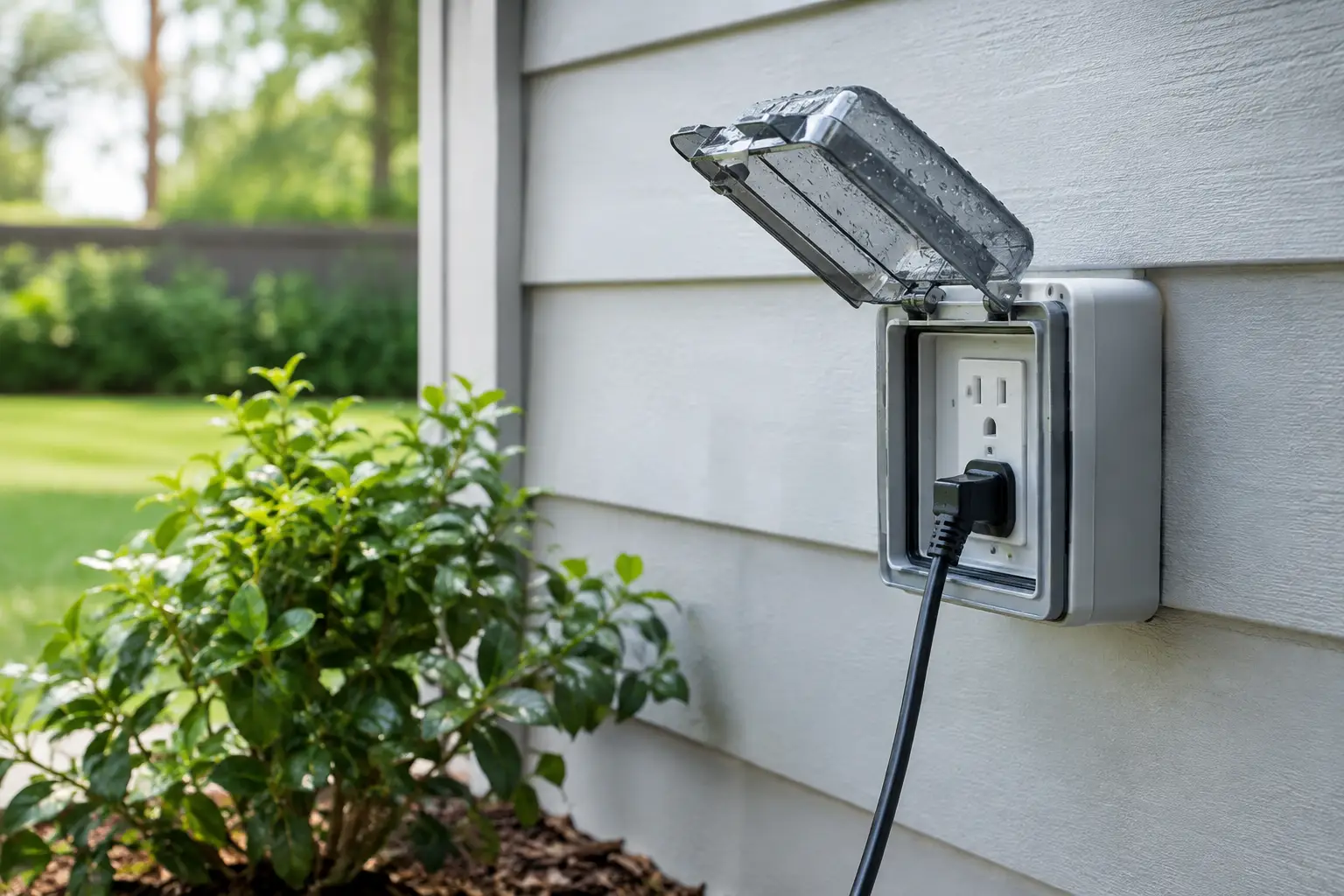
    A standard indoor double powerpoint is not designed for an exposed wall, patio, garden or commercial loading area. Outdoor powerpoints should be purpose-made weatherproof fittings, selected for the conditions where they will be installed.

    Look for an appropriate IP rating, which indicates how well an enclosure resists dust and water. The right rating depends on whether the outlet is under a fully covered alfresco area, exposed to wind-driven rain, installed near a pool zone, or located in a dusty work area. Higher protection is not automatically necessary everywhere, but an electrician should assess the actual exposure rather than relying on a cover alone.

    A hinged weatherproof lid is useful because it shields the socket when it is not in use. Where a lead needs to stay connected, choose a fitting designed to maintain protection around the plug and cable. Simply leaving a standard outlet open beneath a loose plastic cover is not a reliable long-term solution.

    The location matters as much as the outlet itself. Powerpoints should be positioned away from areas where water pools, irrigation sprays directly, or garden hoses are regularly dragged across the wall. They also need to be high enough to avoid splashback and accidental impact, while remaining accessible for safe use.

    How to protect outdoor powerpoints from water

    Water and electricity are a poor combination, and outdoor moisture does not only come from heavy rain. Morning dew, coastal salt air, pressure washing, condensation and sprinkler overspray can all affect outdoor fittings over time.

    Keep the lid closed whenever the powerpoint is not being used. It sounds simple, but open covers are one of the most common ways dirt and moisture enter an outlet. If a cover is cracked, warped, loose or no longer closes properly, arrange for it to be replaced promptly.

    Avoid mounting outdoor powerpoints where they will be routinely hit by a sprinkler. Redirect irrigation heads if necessary, and check that new landscaping has not created drainage issues near electrical outlets. On commercial sites, consider wash-down areas, loading bays and outdoor plant equipment when deciding where power should be available.

    Do not use a hose or pressure cleaner around powerpoints, exterior lights or electrical enclosures. If the area needs cleaning, isolate the circuit first and use a method appropriate for the surface. Water can enter behind a fitting even when the front appears sealed.

    If you notice moisture inside the cover, corrosion on the socket, discolouration, a burning smell or a tripping safety switch, stop using the outlet. Do not attempt to dry it with a hair dryer or investigate inside the fitting. Switch off the relevant circuit if it is safe to do so and contact a licensed electrician.

    Protect the circuit, not just the outlet

    A weatherproof cover is only one layer of protection. Outdoor circuits should also have suitable RCD protection, commonly called a safety switch. An RCD is designed to disconnect the power quickly when it detects an electrical fault, reducing the risk of serious electric shock.

    Many modern switchboards include RCD protection, but older homes and commercial premises may have incomplete protection, outdated equipment or circuits that need review. If you are adding outdoor power for a spa, pool equipment, garden shed, electric gate, outdoor kitchen, security system or EV charger, it is wise to have the switchboard capacity and circuit protection assessed at the same time.

    A dedicated circuit may be required where equipment has a higher electrical load or operates regularly. This prevents nuisance tripping and avoids placing too much demand on a general-purpose circuit shared with indoor appliances. It also makes fault finding and future maintenance simpler.

    Never bypass a tripping safety switch. Repeated tripping is a warning that needs attention, not an inconvenience to work around. It may be caused by a damaged lead, water ingress, an appliance fault or a problem with the wiring.

    Use outdoor powerpoints safely day to day

    Even a correctly installed outdoor outlet can become unsafe if it is used carelessly. Extension leads, portable appliances and temporary connections deserve the same attention as the powerpoint itself.

    Choose extension leads and power boards rated for outdoor use when they will be used outside. Keep joins off the ground and out of wet areas. A connection resting on soil, paving or grass can sit in water after rain or irrigation, even if the weather is otherwise clear.

    Avoid running leads across driveways, doorways and footpaths. Aside from the trip risk, cables can be crushed by vehicles, pinched in doors or damaged by garden equipment. If you regularly need power in a particular part of the yard, warehouse or common area, a permanent outlet installed by a licensed electrician is generally a safer and cleaner answer than a long extension lead.

    Check leads before each use. Replace any cable with cuts, exposed inner insulation, crushed sections, loose plugs or heat damage. Do not wrap damaged cable in tape and assume it is safe. For businesses and property managers, a regular inspection routine for outdoor portable equipment can reduce avoidable faults and downtime.

    Be mindful of load. High-demand appliances such as pressure cleaners, heaters, pool pumps and power tools can overload unsuitable power boards or extension leads. Use equipment as directed by the manufacturer, and do not daisy-chain power boards together.

    Prevent physical damage and tampering

    Outdoor powerpoints can be exposed to more than weather. Garden tools, children, pets, deliveries and vehicles can all cause damage, especially where outlets sit near paths, carports, sheds and entertaining areas.

    Consider a more protected location when installing new outlets. A fitting tucked behind a barbecue, beside a gate that swings into it, or at bumper height in a car park may be technically accessible but vulnerable to damage. In commercial settings, protective bollards or purpose-designed enclosures may be appropriate near vehicle routes and service areas.

    Where unauthorised use is a concern, lockable weatherproof covers can help control access. They can be useful for strata common areas, rental properties, schools, retail exteriors and business premises. The goal is not to make power difficult to access for legitimate users, but to prevent tampering, theft of electricity and unsafe connections after hours.

    Keep outdoor outlets clear of stored items, pot plants and furniture. Restricted access makes it harder to inspect the fitting and can conceal water damage or overheating. It also encourages people to pull leads at awkward angles, which can strain the plug and socket.

    When an outdoor powerpoint needs professional attention

    Some issues are visible, while others sit behind the wall or inside the switchboard. Arrange an inspection if an outlet is loose, damaged, hot to touch, corroded, repeatedly trips the RCD, has no effective weatherproof cover or has been affected by flooding or storm damage.

    You should also seek professional advice before adding a new outdoor outlet, moving an existing point, connecting fixed outdoor equipment or upgrading power for a renovation. Australian electrical work must be completed by a licensed electrician, and the right installation includes correct wiring, protection, mounting and testing – not just fitting a new faceplate.

    For property managers and business operators, planned maintenance is often more cost-effective than waiting for a fault. A periodic check of outdoor powerpoints, lighting, security equipment and switchboard protection can identify damaged fittings before they disrupt tenants, staff or customers.

    A well-placed, correctly protected outdoor powerpoint should be easy to use and easy to forget about. If yours is exposed, damaged or no longer suits how you use the space, a licensed electrician can provide a practical upgrade that keeps power available without compromising safety.

  • Outdoor Lighting That Makes Your Property Safer

    Outdoor Lighting That Makes Your Property Safer

    A dark path from the driveway to the front door is more than an inconvenience when you arrive home late. It can hide uneven paving, make visitors feel uncertain and leave vulnerable areas of a property exposed. Well-planned outdoor lighting makes everyday movement safer while improving security, comfort and the way your property presents after dark.

    For homeowners, the goal may be a safer entry and a welcoming outdoor area. For property managers and business operators, it may also involve car parks, access points, common walkways, signage and after-hours security. The right result is not simply more fittings. It is light placed where it has a clear purpose, installed safely and designed to last.

    Outdoor Lighting Starts With How the Space Is Used

    Before choosing a fitting, consider what happens outside your property once daylight fades. A front entrance has different requirements from a side passage, loading area or landscaped courtyard. Lighting should support the people using the space without creating glare for occupants, neighbours or passing traffic.

    Start with the routes people take most often. Driveways, front paths, stairs, ramps, gates and side access should be easy to see from dusk onwards. Changes in level deserve particular attention. A bright light at the front door does not help much if the path leading to it remains in shadow.

    Then consider the areas you need to monitor. Lighting around gates, garages, rear doors and service entries can make a property less appealing to opportunistic intruders. It also improves the usefulness of security cameras, which need clear, controlled light to capture usable footage at night. Too much uncontrolled brightness can wash out an image or create deep shadows, so placement matters as much as output.

    For entertaining spaces, the priority shifts towards atmosphere. Soft lighting around decks, patios, pergolas and outdoor kitchens lets people move around comfortably without the harsh feel of a floodlight. Separating practical path lighting from decorative lighting gives you more control over the mood and energy use.

    Build Lighting in Layers, Not With One Bright Floodlight

    A single high-output fitting can seem like the fastest answer to a dark yard. In reality, it often produces glare, hard shadows and light spill beyond the property boundary. A layered approach is usually more effective, more comfortable and more considered.

    Ambient light for general visibility

    Ambient lighting provides the base level of light for an outdoor area. Wall lights, soffit-mounted fittings and carefully positioned bollards can make entrances, patios and shared pathways feel open and usable. The aim is even visibility rather than maximum brightness.

    Warm white light generally suits residential entries and entertaining areas, where a more relaxed appearance is wanted. Commercial walkways, work zones and access areas may benefit from a clearer, cooler light, depending on the task and existing building design. The best choice depends on the setting, not a one-size-fits-all rule.

    Task light for movement and practical areas

    Task lighting is focused on places where people need to see what they are doing. This includes steps, keyholes, letterboxes, bins, garage access, barbecue areas and external workspaces. Step lights or low-level path fittings can define a route without shining into someone’s eyes.

    For driveways and car parks, the fitting position should help drivers see pedestrians, boundaries and obstructions. Light mounted too low can be easily damaged, while light placed too high may leave vehicles or pedestrian zones poorly defined. A site-specific layout is worth the effort, particularly at commercial premises.

    Accent light for character and street appeal

    Accent lighting adds depth to a property after dark. It may highlight a feature tree, textured wall, architectural detail, garden bed or signage. Used with restraint, it can make a home or business look cared for without turning the exterior into a display.

    This is where quality design makes a visible difference. Uplighting can be effective on a feature, but it should be aimed carefully to avoid shining into windows. Downlighting from eaves or trees can create a softer result, provided fittings are suitable for the location and installed to withstand weather exposure.

    Choose Fittings Built for Australian Conditions

    Outdoor fittings must cope with more than rain. Heat, UV exposure, wind, salt air in coastal areas, dust, insects and the occasional impact all affect performance. A cheap fitting that looks fine on installation day may discolour, corrode or fail well before it should.

    Choose fittings rated for the environment where they will be installed. Areas exposed to direct weather need an appropriate ingress protection rating, while covered verandahs may have different requirements. Coastal homes need fittings selected with corrosion resistance in mind. Near pools, water features or other wet areas, electrical requirements become more specific and professional advice is essential.

    LED lighting is the practical choice for most new installations. It uses less energy than older lighting technologies, produces less heat and can offer a long service life. However, not all LED products are equal. Look beyond wattage alone and consider light output, beam angle, colour temperature, driver quality and whether replacement parts are available.

    Integrated LED fittings can look clean and compact, but a failed internal component may mean replacing the whole fitting. Replaceable LED lamps can make future maintenance simpler, although the fitting design and lamp quality still matter. The right option depends on access, budget and how long you expect the installation to serve the property.

    Controls Make Outdoor Lighting Work Harder

    Lighting that runs all night when nobody needs it wastes power and shortens the life of equipment. The most useful system is one that responds to how the property operates.

    Dusk-to-dawn sensors are a sensible choice for entry lights, address numbers and areas that benefit from consistent overnight visibility. Timers work well for hospitality, retail frontages and entertaining zones with predictable operating hours. Motion sensors are effective for side passages, garages and rear access points, where light is needed quickly but not continuously.

    Sensor settings need to be adjusted properly. A detector that triggers every time a cat passes, or switches off before a visitor reaches the door, becomes frustrating rather than helpful. Detection range, sensitivity and hold time should suit the actual area. For commercial properties, controls can also be coordinated with security systems and access arrangements where appropriate.

    Smart controls can offer scheduling and remote operation, but they are not automatically the best answer. They rely on compatible equipment, a stable network and someone knowing how to manage the system. For many properties, a dependable sensor or timer provides all the control needed with less complexity.

    Safety and Installation Are Not DIY Details

    Outdoor electrical work needs to be designed and installed with safety at the centre. Water, damaged cables, inadequate connections and incorrectly selected fittings can create serious risks. Hardwired outdoor lighting should be installed by a licensed electrician, with the right protection, cabling methods and connections for the environment.

    Existing electrical infrastructure also matters. An older switchboard, overloaded circuit or lack of suitable safety switches may affect what can be added safely. During an assessment, a qualified electrician can identify these issues before work begins, rather than treating lighting as an isolated upgrade.

    Low-voltage garden lighting can be a practical option, especially where cable routes cross landscaped areas. Even then, the transformer, supply connection, cable protection and equipment selection need careful consideration. Future gardening, edging work and digging should be planned for so cables are not easily damaged.

    Good installation also means thinking ahead. Leave sensible access for maintenance, use durable fixings, avoid placing fittings where they will be struck by doors or vehicles, and ensure switching remains straightforward for the people who use the site. These small decisions protect the investment over time.

    Plan for Maintenance Before Problems Appear

    Even high-quality outdoor lighting needs occasional attention. Dirt, cobwebs and insect build-up reduce light output. Trees grow into beam paths, landscaping changes and sensor lenses can become obstructed. A periodic check keeps the installation working as intended.

    For strata, rental and commercial properties, maintenance planning is particularly valuable. Keeping a record of fitting types, lamp specifications, control settings and circuit locations speeds up repairs and helps maintain a consistent appearance across the site. It also makes it easier to replace damaged fittings with suitable equivalents rather than whatever happens to be available at the time.

    If lights are flickering, tripping circuits, taking on water or no longer providing enough visibility, arrange an inspection rather than repeatedly replacing lamps. The cause may be a failed driver, deteriorated cable, damaged fitting or an issue elsewhere in the circuit.

    Voltricity can assess your property’s access routes, security priorities and outdoor living areas, then recommend a lighting plan that is practical, compliant and suited to the way you use the space. A few well-positioned fittings can make the walk to your door safer, give your cameras a clearer view and ensure your property still feels looked after after sunset.

  • How to Identify Overloaded Circuits Safely

    How to Identify Overloaded Circuits Safely

    A power point that feels warm, lights that dim when the kettle boils, or a circuit breaker that keeps tripping are not just inconvenient. These can be early warnings that a circuit is carrying more electrical demand than it was designed to handle. Knowing how to identify overloaded circuits helps homeowners, property managers and business operators act before a minor issue becomes damaged equipment, repeated outages or a fire risk.

    An overloaded circuit is common in older homes, busy workplaces and properties that have gradually added appliances, air conditioners, EV chargers, security equipment or extra lighting. The answer is not to keep resetting the breaker. It is to find out why it is operating and have the electrical system assessed properly.

    What an overloaded circuit actually means

    Every circuit has a safe current limit. That limit is determined by the circuit breaker, cabling, power points and the way the electrical installation was designed. When connected appliances draw more current than the circuit can safely supply, the circuit breaker should trip and cut the power.

    This safety feature is doing its job. A breaker that trips once after an obvious high-demand event may not indicate a serious fault. For example, running a kettle, toaster, microwave and portable heater from power points on the same kitchen circuit can exceed its capacity. Repeated tripping, however, deserves attention.

    Overloading is different from a short circuit or earth fault. A short circuit can cause an immediate trip, often when a damaged appliance or cable creates an unintended path for electricity. An overloaded circuit usually occurs when too many normal, working appliances are running at once. Only a licensed electrician can confirm the underlying cause safely.

    Signs that a circuit may be overloaded

    The clearest sign is a circuit breaker that trips when several appliances are in use. You may notice that this happens at predictable times, such as when heating is switched on in winter, when kitchen appliances are running, or when a business opens and multiple systems start at once.

    Other signs are more subtle. Lights may flicker or dim when a large appliance starts. Power points, plugs or switch plates may feel unusually warm. You might hear buzzing from a power point, notice a faint burning smell, or see brown marks around a power point. These signs require prompt action, particularly if there is heat, smell, discolouration or visible damage.

    Do not dismiss nuisance tripping as part of living in an older property. Extension leads and power boards can hide the issue for a while, but they do not increase the capacity of the circuit behind the wall. In some cases, they concentrate a high electrical load in one location and create an additional risk.

    A simple pattern to look for

    Think about what was operating just before the circuit tripped. High-demand appliances often include portable heaters, kettles, microwaves, toasters, clothes dryers, washing machines, dishwashers, air conditioners and electric ovens. In commercial settings, the load may come from computers, printers, refrigeration, kitchen equipment, lighting, pumps or specialised machinery.

    If removing one appliance stops the breaker from tripping, that appliance may be contributing to an overload. It could also be faulty, so avoid assuming the circuit is the only problem. Record the appliance, location and time of day. This gives your electrician useful information and can speed up fault-finding.

    How to check safely without opening anything

    You do not need to remove a switchboard cover, test live wires or replace a breaker to recognise a possible overload. In fact, those tasks should only be completed by a licensed electrician.

    Start by locating your switchboard and identifying the affected breaker or safety switch, if it is labelled. When it trips, turn off or unplug appliances on that circuit before resetting it once. Restore appliances gradually rather than switching everything back on at the same time. If the breaker trips again, leave it off and arrange an electrical inspection.

    Check accessible plugs, power points and leads for obvious damage. A cracked power point, loose plug, melted plastic, scorch mark or hot lead is not a DIY repair. Switch off power at the switchboard if it is safe to do so, keep people away from the area and contact a licensed electrician.

    Never use a larger circuit breaker as a workaround, and do not repeatedly reset one that trips. Circuit breakers are selected to protect the cable they serve. Increasing the breaker rating without assessing the wiring can allow cables to overheat before protection operates.

    Common situations where overloads develop

    Older switchboards and wiring may have been suitable when a home had fewer appliances and lower everyday electrical demand. A renovation can also change how a property uses power. Adding a home office, induction cooktop, reverse-cycle air conditioning, pool equipment or outdoor lighting may place extra pressure on existing circuits if the installation was not designed for the new load.

    EV charging needs careful planning for the same reason. A dedicated, correctly sized circuit is often required, depending on the charger, supply capacity and property layout. Plugging an EV charger into an unsuitable power point or relying on long extension leads is not an effective substitute for a properly designed installation.

    For businesses, overloads often appear after equipment changes rather than building changes. A new coffee machine, display fridge, server rack, workshop tool or upgraded security system can alter the load profile. Tenancies with shared or older electrical infrastructure need particular care, as the available capacity may be less obvious than it is in a standalone building.

    When it is urgent

    Treat the issue as urgent if you smell burning, see smoke, notice sparks, find a hot switchboard or power point, or have discoloured or melting fittings. Turn off power at the main switch only if you can do so without approaching heat, smoke or damaged equipment. If there is an active fire or immediate danger, call emergency services.

    A breaker that trips repeatedly without any clear high-demand use also needs timely professional attention. The cause may be an overloaded circuit, but it may instead be damaged wiring, water ingress, a faulty appliance or a failing protective device. Guesswork is not a safe option.

    What a licensed electrician can do

    A proper assessment looks beyond the tripped breaker. A licensed electrician can inspect the switchboard, test the affected circuit, assess cable condition, identify appliance demand and check whether the existing electrical system suits the way the property is now being used.

    The right solution depends on the result. It may be as straightforward as replacing a damaged power point or redistributing appliances across suitable circuits. In other properties, the safer long-term option may be a new dedicated circuit, switchboard upgrade, rewiring work or a planned upgrade for an EV charger, air conditioning or commercial equipment.

    There is a trade-off between a quick workaround and a lasting repair. Reducing appliance use might prevent trips in the short term, but it does not fix a circuit that is undersized for the property’s needs. A clear assessment gives you the information to make a practical decision, with safety and future demand in mind.

    Voltricity can assess recurring circuit trips and electrical load concerns for homes and businesses, then explain the safest path forward in plain language. If a circuit keeps tripping or any power point is hot, damaged or discoloured, arrange an inspection rather than waiting for the next outage. Reliable electrical work starts with treating warning signs early.

  • Garden Pathway Lighting Guide for Safer Nights

    Garden Pathway Lighting Guide for Safer Nights

    A dark path between the driveway, front door, deck or garden gate can turn a familiar trip into an avoidable risk. A well-planned lighting system makes those everyday routes easier to use after sunset, while adding definition and warmth to your outdoor areas. This garden pathway lighting guide focuses on the practical decisions that deliver a safer, better-looking result without filling the garden with glare.

    For homeowners, the goal is usually simple: clear footing, reliable operation and fittings that suit the property. For property managers and business owners, pathway lighting also supports safer access for tenants, visitors and staff. The best outcome comes from planning the route first, then selecting lights, controls and electrical work that will stand up to Australian weather.

    Start with the path, not the light fitting

    Walk the pathway at night before choosing products. Notice where people naturally step, where the surface changes, and where shadows hide a trip hazard. Steps, uneven pavers, changes in level, narrow side accessways and turns around garden beds all deserve extra attention.

    Lighting should show the direction of travel rather than flood the entire yard. A soft pool of light along the edge of a path is generally more comfortable and useful than bright fittings positioned directly in a person’s line of sight. It also protects the relaxed feel of the garden.

    Consider how the path is used. The route from the driveway to the front door may need dependable lighting every evening, while a path to a shed or entertaining area may only need to operate when someone is outside. This affects whether timers, sensors or manual switching make the most sense.

    It is also worth looking beyond the path itself. A dark gate latch, house number, step or change in direction can still cause frustration even when the pavers are lit. A few carefully placed lights can make the whole arrival experience clearer and safer.

    Choose the right type of pathway light

    Different fittings create different effects. The right choice depends on the surface, surrounding planting, power access and the level of maintenance you are prepared to take on.

    Bollard lights

    Bollards are visible vertical fittings that cast light downwards or outwards. They work well beside wider paths, driveways and commercial entries where a stronger visual marker is useful. Choose shielded models that direct light towards the ground. Poorly positioned bollards can shine into windows or create uncomfortable glare for people walking towards them.

    They need enough clearance from the path to avoid becoming an obstacle themselves. Keep their placement consistent, particularly beside straight runs and formal landscaping.

    Low-level spike and path lights

    Small spike lights are useful around garden beds and informal gravel or stepping-stone paths. They are flexible during the landscaping stage and can be moved if plants grow or the layout changes. Their lower profile helps the fitting sit quietly within the garden, but foliage can block the light as plants mature.

    For this reason, leave access for pruning and cleaning. A light hidden behind a lush shrub may look fine on installation day but provide very little usable illumination six months later.

    Step, wall and recessed lights

    Where a pathway runs beside a retaining wall, boundary wall or set of stairs, integrated step or wall lights can be an excellent option. They illuminate the walking surface without adding posts or fittings beside it. Recessed lights can create a clean finish in paving, decking or stairs, but they need careful installation, drainage consideration and suitable products for the location.

    These fittings are especially helpful in tight side passages where there is little room for a bollard or spike light. They should be positioned to avoid shining directly into the eyes of someone approaching the steps.

    Solar lights

    Solar pathway lights can suit occasional-use garden paths or renters who cannot alter wiring. Their main advantage is simple installation. Their limitation is reliability: shaded gardens, winter weather, short daylight hours and ageing batteries can all reduce performance.

    Solar fittings are best treated as decorative or supplementary lighting unless high-quality units have been selected for a consistently sunny location. They are not usually the strongest choice where dependable safety lighting is required every night.

    Get spacing and brightness right

    More lights do not automatically make a path safer. Over-lighting creates harsh contrast, where bright spots make the areas between them appear darker. It can also spoil views from inside the home and disturb neighbours.

    As a starting point, use lower-output fittings at a regular rhythm, then add lighting at key hazards. Spacing will vary with the beam spread, fitting height and path width, so there is no single measurement that works for every garden. A narrow concrete side path may need lights closer together than a broad paved walkway with reflective surfaces.

    Aim for overlapping pools of light rather than isolated circles. You should be able to see the path edge, surface texture and any step ahead without needing the light to be bright enough to illuminate the entire lawn.

    Warm white light generally suits residential gardens because it feels inviting and complements timber, stone and greenery. Neutral white can provide a crisper appearance around contemporary entries and commercial premises. Whichever colour temperature you select, keep it consistent across the route so the design feels intentional.

    Use controls that match real life

    A well-designed system should work when it is needed, without wasting electricity or requiring constant attention. For a main entry path, a dusk-to-dawn sensor or programmed timer offers reliable everyday operation. Timers are useful when you want the property to look occupied at set times or when regular evening access is expected.

    Motion sensors can be a practical choice for side gates, bins, sheds and less frequently used paths. They save energy and alert occupants to movement, but they need sensible aiming and sensitivity settings. A sensor that activates every time a cat passes or a car moves along the street quickly becomes irritating.

    Many properties benefit from a combination. For example, low-level lighting can operate for a set evening period while a brighter light near the gate or garage activates on motion. Smart controls can add convenience, but they should not be chosen at the expense of a straightforward, reliable installation.

    Plan for weather, wiring and safety

    Outdoor fittings need to suit their exposure. A protected porch route is different from a path beside an open lawn, coastal garden or pool area. Look for appropriately rated fittings designed for outdoor conditions, and select materials that will cope with moisture, UV exposure and corrosion. Cheap fittings often fail first at cable entries, seals and connections.

    Low-voltage garden lighting can be a flexible option for many residential landscapes, particularly where fittings may be adjusted over time. However, the transformer, cable sizing, connection quality and load all need to be considered properly. Voltage drop over long cable runs can leave distant fittings noticeably dimmer.

    Any 240V outdoor electrical work must be completed by a licensed electrician. This includes fixed wiring, new outdoor circuits, hard-wired controls and many connections associated with landscape lighting. Proper installation protects people and property, supports compliance with applicable Australian requirements and avoids the hidden faults that moisture can expose later.

    Before excavation begins, identify existing underground services and plan cable routes away from areas likely to be dug up for future planting or repairs. Good workmanship includes more than fitting lights neatly. It means protecting cables, using suitable connections and leaving the system accessible for maintenance.

    Make maintenance part of the design

    Even quality outdoor lighting needs occasional care. Dirt, mulch and leaf litter reduce output. Spider webs can collect around warm fittings, and garden growth can cover lenses or change the direction of light. Choose fittings that can be cleaned and serviced without dismantling half the garden.

    At least once or twice a year, walk the path after dark and check for failed lamps, loose fittings, exposed cables and branches blocking the beam. If lights begin flickering, tripping a circuit or taking on water, arrange an inspection rather than continuing to use the affected section.

    A professional lighting plan can bring pathway, security and feature lighting together without making the garden feel overdone. Voltricity can help assess access routes, select suitable fittings and install outdoor lighting with safety, durability and everyday use in mind.

    The best pathway lighting is rarely the most noticeable feature in the garden. It is the lighting that quietly helps everyone find their way home, reach the door safely and enjoy the outdoor space long after daylight has gone.

  • CCTV Access Control Comparison for Safer Sites

    CCTV Access Control Comparison for Safer Sites

    A CCTV access control comparison starts with a simple question: do you need to see what happened, control who can enter, or do both? Cameras provide a clear visual record around your property. Access control manages doors, gates and authorised entry. Used together, they give homeowners, property managers and business operators much stronger visibility over the places that matter.

    The right choice depends on the property, the risks you are managing and how people use the site each day. A family home may need camera coverage at the front door, driveway and side access. A commercial tenancy may need controlled entry, an audit trail for staff access and footage that can be reviewed after an incident. There is no one-size-fits-all package, but there is a sensible way to decide.

    CCTV vs access control: what each system does

    CCTV is designed to observe and record activity. Modern systems can send alerts to a mobile, capture clear footage in low light and store recordings locally or through approved cloud services. Cameras are valuable for deterring opportunistic behaviour, checking deliveries, monitoring vulnerable areas and providing evidence when an event needs to be investigated.

    Access control is designed to manage entry. Instead of relying on a conventional key, a door or gate can be opened with a fob, PIN, swipe card, mobile credential or intercom release. The system can restrict access by person, door and time of day. For example, a cleaner may be permitted through a rear service door after hours, while office staff can access the main entrance during standard operating times.

    The difference is practical. CCTV can show that someone entered through a door. Access control can limit whether they can open that door in the first place. Cameras are reactive and preventative through visibility; access control is preventative through permission management.

    CCTV access control comparison: the key differences

    When comparing the two, start with the outcome you need rather than the technology itself. CCTV is often the first security upgrade because it gives broad coverage at a relatively accessible starting point. It suits homes, small retail sites, car parks, workshops and common areas where seeing activity is the main priority.

    Access control becomes more valuable where keys are difficult to manage or certain spaces need tighter protection. This includes offices, apartment buildings, medical rooms, stock areas, server cupboards, education facilities and shared commercial sites. If a staff member or tenant leaves, their credential can be removed without the cost and disruption of rekeying multiple doors.

    CCTV also has limits. A camera cannot physically stop an unauthorised person from following someone through a door, forcing a lock or accessing an unsecured gate. Footage may identify the issue afterwards, but it does not replace proper locks, lighting, door hardware or controlled entry.

    Access control has its own limits. An access log may confirm that a credential was used at 7:42 pm, but it may not show whether the cardholder entered alone, held the door open or was under pressure to provide access. That is where a correctly positioned camera adds context.

    For many commercial properties, the best answer is an integrated system. A camera can cover the entry point while the access system records the event. When an incident occurs, the manager has both the visual evidence and the entry history to review. Integration should be planned carefully, however. It is useful when it solves a real operational problem, not simply because it is available.

    Choosing the right system for your property

    For a home, CCTV is usually the more practical first step. Coverage of entry doors, the driveway, backyard and any side passage can help you monitor arrivals, deliveries and unusual movement. Pairing cameras with sensor lighting is often a cost-effective way to improve security and visibility after dark.

    Access control can make sense for larger homes, gated properties, home offices or properties with regular contractors. A video intercom and electric gate release, for example, lets you confirm who is at the entrance before granting access. The priority should be reliable operation, safe cabling and hardware suited to the gate or door, rather than an overly complicated setup.

    For a small business, consider how many people need access and which doors create risk. A café may only need staff control at the rear entry and storeroom. A professional office may need credential access at the main entry, restricted access to records and cameras covering reception. In each case, a system should be easy for authorised staff to use and straightforward for a manager to administer.

    Property managers often benefit from access control in common areas, plant rooms, bin stores, garages and shared facilities. Lost keys, uncontrolled copying and tenant turnover can quickly become expensive. Managed credentials create more control, while CCTV can help investigate damage, dumping or unauthorised use of shared spaces.

    Larger commercial sites need a more detailed plan. Consider shift patterns, delivery access, visitor management, emergency exits, high-value stock, network requirements and future expansion. A system that works for ten users may not be the right fit for 100 staff across several entry points.

    What to consider before installation

    Good security starts with a site assessment. Camera placement matters more than camera quantity. A camera facing bright afternoon sun, mounted too high or aimed only at the top of a person’s head may not provide useful footage. Entrances, paths of travel, cash-handling areas and vehicle access points should be assessed based on what you need to identify or monitor.

    For access control, the existing door and frame are just as important as the reader on the wall. The locking method must suit the door type, fire and egress requirements, building use and level of security required. Emergency exit paths must remain safe and compliant, so access control should always be designed and installed by appropriately qualified professionals.

    Privacy also deserves attention. Cameras should be aimed at your own property and legitimate areas of concern, not into neighbouring homes or private spaces. Businesses should be clear with employees and visitors where surveillance is in use. Storage periods, who can view footage and how credentials are managed should be decided before the system goes live.

    Network capacity and power requirements can affect both performance and cost. Wired systems are generally a strong option for permanent commercial installations because they can provide stable connections and centralised power. Wireless cameras can suit selected residential applications, but they still require dependable coverage, power planning and ongoing battery management where applicable.

    Budgeting for value, not just equipment

    A lower upfront price can become costly if cameras do not capture usable footage or an access system is difficult to manage. The total cost includes equipment, cabling, electrical work, door hardware, configuration, storage, maintenance and any ongoing software or monitoring fees.

    It is worth asking what happens when the internet drops out, power is interrupted or a credential is lost. Ask how footage is retrieved, who owns administrator access, whether the system can be expanded and how faults will be supported. These details make a major difference after installation.

    You may not need every feature on day one. A staged approach can work well: install the cabling and core equipment for future doors or cameras, then add devices as the site grows. This avoids unnecessary disruption later and gives you a clearer path for upgrades.

    When a combined system is the better choice

    Choose CCTV on its own when broad visibility, deterrence and incident review are the main needs. Choose access control on its own when managing keys, staff permissions or restricted doors is the primary concern. Combine them when an entry point needs both control and accountability.

    A well-designed integrated solution does not need to feel complicated. It should make everyday access easier for authorised people while giving the property owner or manager clear, reliable information when something is not right. Voltricity can assess the electrical, cabling and security requirements together, helping avoid the common problem of separate systems that do not properly support one another.

    The best security decision is the one that fits how your property is actually used. Start with the doors, areas and routines that cause concern, then build a system that protects them reliably and can grow with you.

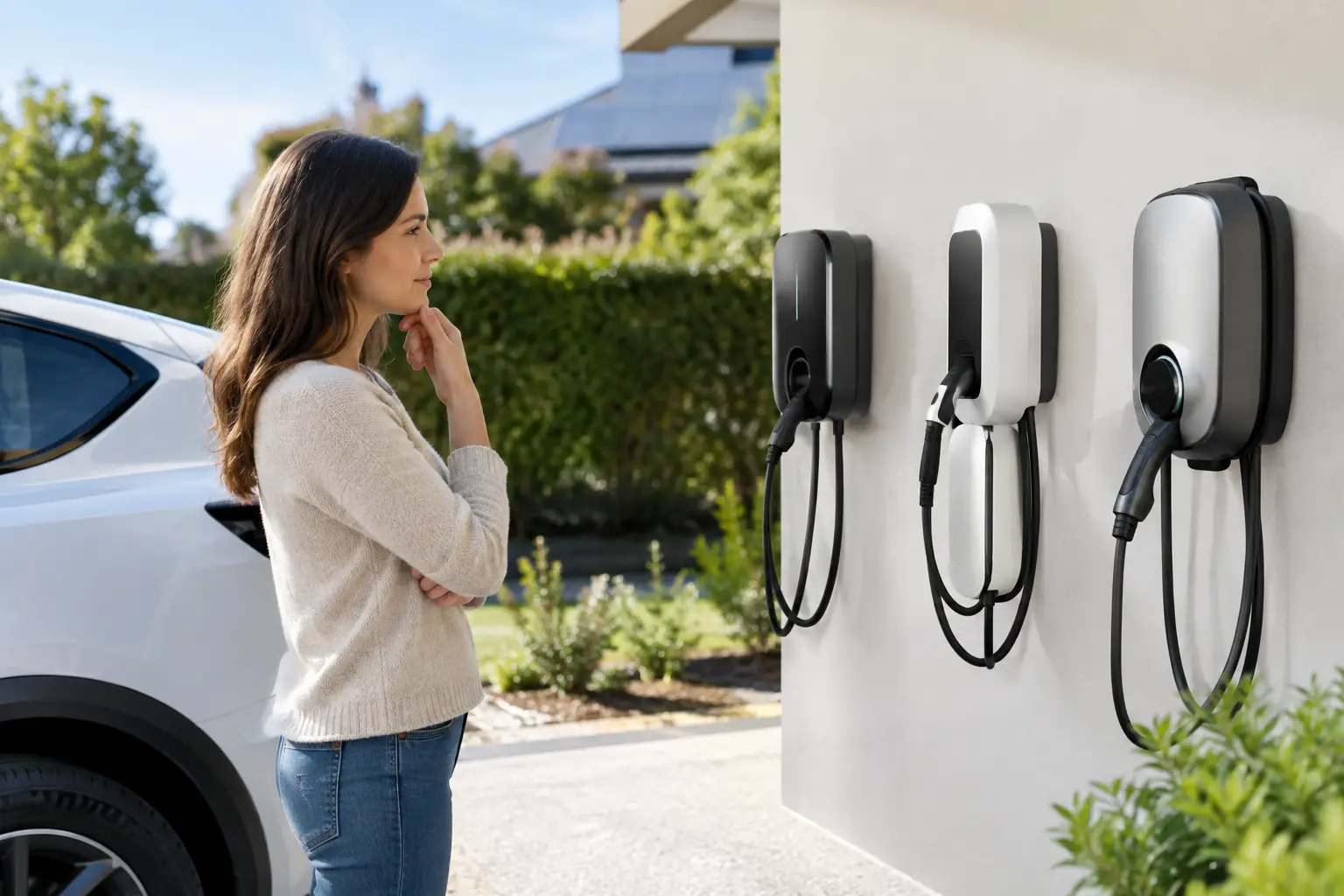
  • EV Charger Comparison for Australian Homes

    EV Charger Comparison for Australian Homes

    A public charger is useful when you are travelling. At home or at work, it should not be your main charging plan. The right EV charger lets your vehicle charge while it is parked, ready for the morning commute or the next day’s appointments. This EV charger comparison focuses on the decisions that affect daily convenience, installation cost and long-term safety.

    The best unit is not automatically the fastest or the one with the longest feature list. It needs to suit your vehicle, driving habits, electrical supply and the capacity available in your switchboard. Getting those fundamentals right produces a charging setup you can rely on for years.

    EV charger comparison: start with charging speed

    For most Australian households, a dedicated AC wall charger is the practical choice. These chargers are designed for regular use and are usually installed in a garage, carport or driveway close to where the vehicle is parked.

    A 7 kW single-phase charger is a common option. Subject to your vehicle’s onboard charger and your home’s electrical capacity, it can add roughly 40 to 50 kilometres of range per hour. For many drivers, that is more than enough to replenish a typical day’s travel overnight.

    Three-phase properties may be able to support 11 kW or 22 kW charging. An 11 kW charger can be a good match for households with higher daily kilometres, multiple EVs or shorter periods at home. A 22 kW charger sounds appealing, but it only delivers its full potential if the car can accept 22 kW AC charging and the property has sufficient three-phase capacity. Many EVs have lower onboard AC charging limits, so paying for a larger charger may not produce a faster charge.

    Portable charging cables supplied with some vehicles can plug into a standard power point. They are useful as a backup, but they are generally slow and should not be treated as a permanent solution for daily charging. Long, continuous electrical loads need the right circuit, protection and connection point. A dedicated wall charger gives you a safer, more convenient arrangement.

    DC fast chargers are the units commonly found at public charging sites. They can charge quickly, but their cost, electrical demand and installation requirements put them beyond what most homes need. They are more relevant to selected commercial sites, fleets and destinations where rapid turnover is a business requirement.

    Check the vehicle before choosing the charger

    Your EV’s charging port, onboard AC charging limit and battery size all matter. In Australia, many newer vehicles use a Type 2 AC connection, while charging speeds vary widely between models. The wall charger may be rated at 11 kW, for example, but a vehicle limited to 7 kW AC will still charge at 7 kW.

    Battery size also changes what feels fast enough. A driver covering 30 kilometres each day has very different needs from a salesperson travelling 200 kilometres most days. Overnight charging with a 7 kW unit suits the first driver comfortably. The second may benefit from higher-capacity charging, workplace charging or a combination of home charging and public infrastructure.

    It is also worth planning for the next vehicle, not only the current one. If a household expects to replace a second car with an EV within a few years, choosing a charger platform that can manage two vehicles may avoid reworking the installation later.

    The electrical installation is as important as the charger

    A wall charger is not a plug-and-play appliance. It should be installed by a licensed electrician who assesses the property rather than simply mounting the unit where it looks convenient.

    The assessment should consider the switchboard, existing electrical load, cable route, charger location, earthing, circuit protection and the available supply capacity. Older homes may have limited switchboard space or an outdated board that requires upgrades before an EV charger can be installed properly. This does not mean every property needs a major upgrade, but it should be identified before work begins, not after the charger has been purchased.

    Location matters as well. The cable needs to reach the vehicle without becoming a trip hazard across a walkway. Outdoor installations require equipment suited to weather exposure, while shared or strata parking areas may require approvals and careful planning around access, metering and cable pathways.

    For commercial properties, the question is often larger than one parking bay. A business may need to consider visitor charging, staff access, billing, future expansion and the building’s maximum electrical demand. A staged installation can be sensible: install infrastructure that supports future chargers, then add units as demand grows.

    Smart features that genuinely earn their place

    Smart chargers can make charging easier to manage, but not every feature will matter to every owner. The most useful functions tend to be those that reduce running costs or prevent unnecessary electrical upgrades.

    Scheduled charging allows the vehicle to charge during off-peak periods where your electricity plan makes that worthwhile. It also means the car can be plugged in after work without starting a full charge immediately.

    Load management is particularly valuable in homes with limited supply capacity. The charger monitors or responds to household demand and reduces its charging rate when high-load appliances are operating. When demand drops, charging can increase again. This can help avoid overloading the property and may reduce the need for a costly supply upgrade.

    Solar-aware charging is another worthwhile option for homes with solar panels. Depending on the charger, inverter and setup, it can prioritise available solar generation or charge during selected solar windows. It is not always the cheapest choice, especially if feed-in tariffs, electricity rates and driving patterns do not align. However, it can be an excellent fit for households where a vehicle is parked at home during the day.

    For businesses and shared sites, user access and reporting may be more important than solar integration. RFID access, usage tracking and the ability to allocate charging costs can provide greater control. The key is to choose features that solve a real operational need rather than paying for an app that will rarely be opened.

    Single-phase versus three-phase charging

    Single-phase power is common in Australian homes and can support a highly effective EV charging setup. A 7 kW charger is often the sensible balance between overnight charging speed, installation cost and available electrical capacity.

    Three-phase power can support faster AC charging and may be worthwhile for larger homes, high-use vehicles and commercial properties. It can also make future expansion easier where multiple chargers are planned. But three-phase is not automatically better. If the car cannot accept the higher rate, or if the vehicle is parked overnight every day, the practical benefit may be small.

    A good decision starts with the time available to charge. If your vehicle is typically parked for 10 to 12 hours overnight, even moderate charging capacity can meet your needs. Faster charging matters most when parking windows are short or daily travel is consistently high.

    Compare total value, not just the unit price

    When comparing chargers, look beyond the purchase price. The total cost includes the charger, cable run, mounting, dedicated circuit, switchboard work if needed, protection devices and commissioning. Difficult access, long cable routes and underground works can also affect the final quote.

    The cheapest unit can become the expensive option if it lacks the functions you later need, has poor local support or is not suitable for the site. At the same time, the most premium charger may be unnecessary for a household that charges one EV overnight and has no plans for solar integration or a second vehicle.

    Warranty terms and after-sales support deserve attention. Ask what is covered, how faults are handled and whether the manufacturer has a practical support presence in Australia. Charging equipment is intended for frequent, long-term use, so reliability and serviceability matter more than a flashy display.

    A practical way to make the decision

    Start with your daily kilometres and when the vehicle is normally parked. Then confirm the vehicle’s AC charging limit, the property’s electrical supply and whether you expect another EV in the near future. From there, decide whether scheduled charging, solar integration, load management or access control will make a measurable difference.

    For many homes, a quality 7 kW smart charger installed on a dedicated circuit is the right answer. For three-phase homes, busy households and commercial sites, an 11 kW or expandable managed setup may offer better value. Voltricity can assess the charger location, existing electrical infrastructure and future requirements so the installation suits the property, not just the vehicle.

    The most useful charger is the one that fits naturally into your routine, charges safely when you need it and leaves room for how your property may change next.

  • Best Lighting for Warehouses: What Works

    Best Lighting for Warehouses: What Works

    A warehouse can have a clean floor, capable staff and efficient racking, yet still lose time and create risk because the lighting is wrong. The best lighting for warehouses gives people a clear view of stock, labels, machinery and travel paths while keeping running costs under control. It also needs to suit the building itself – its height, layout, operating hours, temperature and the work performed in each zone.

    For warehouse managers and property owners, lighting is not simply a replacement job. It is an infrastructure decision that affects safety, productivity, maintenance and power consumption for years. A considered LED upgrade can make a dim, uneven facility feel safer and easier to operate, but only when the fitting type, light level and controls are designed around the site.

    What the best lighting for warehouses needs to achieve

    Good warehouse lighting creates usable visibility, not just a bright-looking room. Workers need to read picking labels, identify damaged pallets, see forklift movements and judge distances around racking. Poor illumination, glare and dark patches can all make ordinary tasks harder than they should be.

    The right solution balances several practical requirements. It should provide consistent light across working areas, limit glare for people looking up from forklifts or scanning equipment, and maintain colour quality so labels, safety markings and product condition are easier to assess. It must also be reliable enough for a busy operation where arranging access equipment or pausing work for maintenance is disruptive.

    Energy use matters, particularly in facilities that run long shifts or operate overnight. However, chasing the lowest wattage without checking the actual light distribution can leave aisles underlit and loading areas unsafe. The goal is the right amount of light, delivered where the work happens.

    LED high bays are the standard choice for most sites

    For warehouses with higher ceilings, LED high-bay fittings are generally the most effective option. They are designed to throw light down from height and can replace older metal halide or fluorescent systems with lower energy demand, faster start-up and less ongoing maintenance.

    High bays are available with different beam angles. A wider beam can work well in an open storage area with lower mounting heights, while a narrower beam is often better for tall ceilings or long racking aisles. Getting this choice wrong is a common cause of patchy lighting. A powerful fitting may look impressive on paper but still put too much light on the floor directly below it and not enough between fittings.

    In lower-ceiling warehouses, workshops and packing areas, LED low-bay fittings or linear LED luminaires may be more suitable. Linear fittings can give particularly even coverage above benches, packing lines and shelving. For narrow aisles, aisle-specific optical designs can direct light along the travel path rather than wasting it on the tops of racks.

    Older discharge lamps often take time to reach full brightness after switching on or after a power interruption. LEDs provide immediate light, which is valuable where staff arrive early, shifts change frequently or emergency conditions demand clear visibility without delay.

    Do not overlook task and external lighting

    A high-bay layout handles the general warehouse floor, but it may not solve every task. Packing benches, quality-control stations, offices, battery-charging areas and workstations can benefit from dedicated task lighting. This adds clear light closer to detailed work without over-lighting the entire building.

    Loading docks, yards, pedestrian paths and entry points need separate consideration. External lighting should help drivers and workers move safely between the building and vehicles, while being aimed carefully to manage glare and unnecessary spill to neighbouring properties. Sensor-controlled lighting may be appropriate in low-traffic areas, but active loading zones often need dependable illumination throughout operational hours.

    Start with the work, not the fitting catalogue

    The first question is not, “Which light is cheapest?” It is, “What needs to be seen here?” A bulk-storage zone has different requirements from a pick-and-pack aisle, a dispatch desk or a forklift charging room. Ceiling height, racking configuration, skylights, wall colours and obstructions such as ducting or sprinkler systems also change the design.

    A professional site assessment should map the building dimensions, mounting positions and current electrical infrastructure. From there, a lighting layout can model how fittings will perform before installation. This helps prevent common issues such as shadowed aisle ends, glare at forklift eye level, or bright pools of light separated by gloomy areas.

    Australian lighting design should also consider the applicable requirements of AS/NZS 1680 and the nature of the task. Required illumination levels vary by activity, so a one-size-fits-all rule is not a sound basis for a warehouse upgrade. A licensed electrician can help turn operational needs into a practical, compliant lighting plan.

    Choose light quality that supports safe work

    Brightness is only one part of lighting quality. Colour temperature and colour rendering both influence how a space feels and how accurately people can identify colours.

    Neutral to cool white light is often chosen for warehouse environments because it provides a crisp, alert working atmosphere. Around 4000K to 5000K commonly suits general storage, dispatch and production areas, although the right choice depends on the existing environment and the work being done. Very cool light can feel harsh in some spaces, while warmer light may be better suited to staff amenities or customer-facing areas.

    Colour rendering index, or CRI, indicates how faithfully colours appear under a light source. A higher CRI can be useful where workers need to distinguish coloured wiring, safety labels, stock markings or product finishes. For straightforward bulk storage, extremely high CRI may not justify the extra cost. For quality inspection and detailed assembly, it can be worthwhile.

    Glare deserves the same attention. Bright, exposed light sources can create discomfort and reduce visual clarity, particularly for forklift operators looking towards elevated fittings. Select fittings with appropriate optics and place them thoughtfully around sightlines, racking and work zones.

    Controls can reduce waste without disrupting operations

    A warehouse does not always need every fitting operating at full output. Lighting controls can reduce unnecessary energy use in offices, amenities, seldom-used aisles and after-hours areas. The best approach depends on how predictable the activity is.

    Occupancy sensors work well in spaces with intermittent foot traffic, such as storerooms, plant rooms and some side aisles. Daylight sensors can dim fittings near skylights or roller doors when natural light is available. Timers and programmable zones are useful where operating hours are regular.

    Controls should be selected with care around forklift routes and busy aisles. Lights that switch off too quickly can create an unsafe and frustrating work environment. A sensible design uses suitable hold times, gradual dimming where needed, and manual override options for cleaning, stocktakes or unusual operating periods.

    Plan the installation around continuity and access

    A lighting upgrade should improve the warehouse without creating unnecessary downtime. Before work begins, the installation plan should account for elevated work platforms, racking access, forklift movements, exclusion zones and the safest time to isolate electrical circuits.

    In many operating facilities, work can be staged by aisle or zone to keep most of the warehouse functional. Clear communication matters: staff need to know where access is restricted, when lighting will be temporarily unavailable and how traffic routes may change. If the existing fittings are old or damaged, the electrical supply, switching and emergency lighting should also be assessed rather than treating the new lights as an isolated upgrade.

    Emergency and exit lighting are separate safety systems, but they should form part of the overall review. A well-lit warehouse still needs reliable emergency illumination and clearly visible exit paths if normal power fails.

    Look beyond the upfront fitting price

    The cheapest quote can become expensive if fittings fail early, the light pattern is poor or future maintenance requires repeated call-outs. Compare the expected operating cost, warranty terms, fitting quality, access requirements and likely lifespan alongside the installation price.

    For a warehouse with long operating hours, LED efficiency and controls can deliver meaningful savings over time. Yet a smaller site with limited hours may place more value on dependable basic fittings and a straightforward installation. There is no single product that is right for every building.

    A dependable electrical contractor will explain these trade-offs clearly, provide a layout matched to the site, and complete the work safely and professionally. Voltricity can assess warehouse lighting upgrades with a focus on practical visibility, reliable performance and minimal disruption to your operation.

    The right warehouse lighting should let your team get on with the job without thinking about the lights at all – except when they notice how much safer, clearer and more efficient the workplace feels.

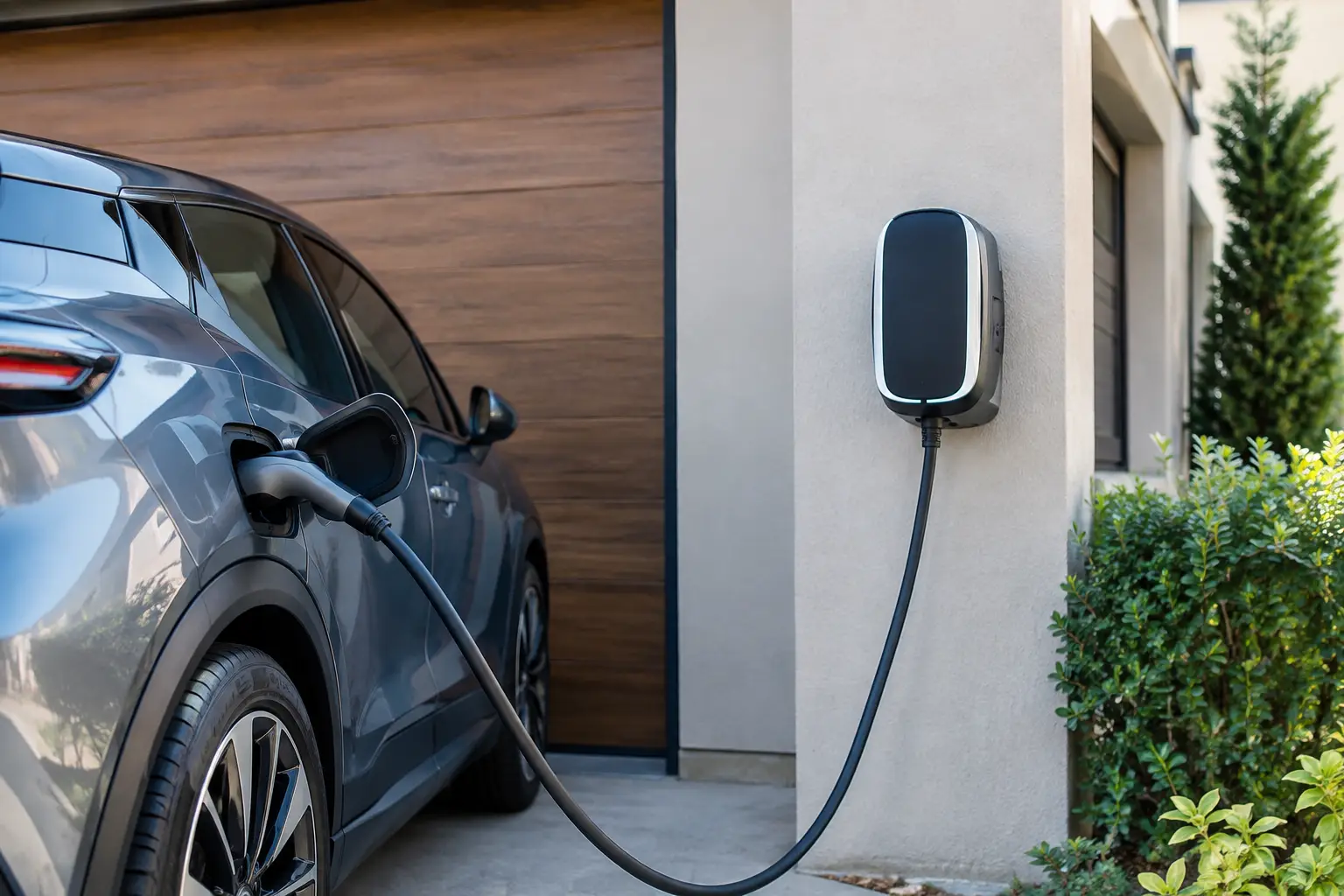
  • Best EV Charger Placement for Your Property

    Best EV Charger Placement for Your Property

    Your EV charger should make arriving home easier, not create a daily parking puzzle. The best EV charger placement is usually close to where the vehicle naturally parks, protected from avoidable damage and planned around the property’s existing electrical capacity. Get the location right before installation and you can reduce cable clutter, protect your investment and make charging feel like part of the routine.

    For homes, that often means a garage or carport wall. For businesses, it may mean a dedicated parking bay that is visible, accessible and practical for more than one type of vehicle. The right answer depends on your parking habits, building layout, switchboard location and plans for the future.

    Start with how the vehicle actually parks

    The first question is simple: where does the EV stop most nights or during the working day? A charger placed beside the usual parking position is more useful than one selected purely because it is closest to the switchboard.

    Think about which side of the vehicle the charge port is on and how different vehicles may use the space. Charge ports are commonly located at the rear or front, and on either side depending on the model. A well-positioned charger allows the cable to reach comfortably without being stretched across a driveway, walkway or access route.

    Avoid relying on an extension lead or regularly trailing a charging cable across areas where people walk. Besides being inconvenient, this creates a trip hazard and exposes the cable to unnecessary wear. A dedicated charger with the correct cable reach gives you a safer, tidier arrangement.

    If two cars share a garage or driveway, allow for the way drivers enter, reverse and open doors. The charger should not interfere with access to storage, bins, internal doors or the path from the car to the house. A few minutes spent observing the usual parking routine can prevent a frustrating installation choice.

    Best EV charger placement at home

    A garage is often the preferred location because it protects the charger, cable and vehicle connection from harsh weather. It can also provide better security and a clean wall-mounted installation. The ideal wall is normally beside or slightly ahead of the vehicle’s parking position, at a practical height specified by the equipment manufacturer and installation requirements.

    Garages and carports

    In a garage, choose a wall that is unlikely to be blocked by shelving, sporting equipment or a future workbench. Keep the charger clear of areas where it may be struck by a car door, bicycle or stored items. If parking is tight, protective bollards or wheel stops may be worth considering.

    A carport can be equally convenient, particularly where the house has no enclosed garage. Select a location with suitable weather protection and avoid placing the charger where roof runoff will continually fall on it. Chargers designed for outdoor use can handle Australian conditions when correctly installed, but less exposure to direct sun, heavy rain and wind-driven debris generally supports a longer service life.

    Driveways and external walls

    An external wall may be the best option where vehicles park on a driveway. This can work well when the charger is within your boundary and the cable reaches the car without crossing a footpath or shared accessway.

    Consider security before choosing an exposed position. A charger near the front of the property may be easy to access, but it can also be more visible from the street. Good exterior lighting, camera coverage and access controls can provide peace of mind. The installation should also be positioned to minimise the risk of accidental impact from vehicles.

    For homes with a long driveway, a charger closer to the parking area may require additional cabling and trenching. That can increase the upfront cost, yet it may be the better long-term decision if it removes the need to park in an awkward spot every day.

    Plan around the electrical supply, not just the wall

    The nearest wall is not always the most economical or technically suitable location. Your electrician needs to assess the distance to the switchboard, cable route, available capacity and the condition of the existing electrical system.

    Longer cable runs can involve more labour, materials, wall or ceiling access, and possibly underground conduit. They may still be worthwhile for a safer and more convenient charging location. A transparent quote should explain the practical trade-off between a straightforward install near the switchboard and a more tailored location near the vehicle.

    Older homes may also need a switchboard upgrade or dedicated protection before an EV charger can be installed. Modern chargers draw a significant, sustained electrical load, so the property’s supply must be assessed alongside other major appliances such as air conditioning, electric hot water, ovens, pool pumps and induction cooktops.

    Load management can be a practical option where supply capacity is limited. It allows charging to adjust when household demand is high, helping avoid unnecessary upgrades in some situations. Whether it suits your home depends on the charger, electrical supply and how the property uses power.

    Keep safety, access and weather in view

    EV charging equipment must be installed by a licensed electrician and comply with applicable Australian electrical standards, manufacturer instructions and local requirements. This is not a job for a standard power point, improvised wiring or a DIY installation.

    Placement should provide clear access to the charger controls and isolating equipment where required. It should not obstruct doors, emergency exits or service areas, and it should be protected from likely damage. In a garage, that may mean keeping it away from the path of a reversing vehicle. In a commercial car park, it may mean using bollards, kerbs or a purpose-built mounting post.

    Outdoor chargers need appropriate equipment ratings and installation methods for the environment. Direct western sun, coastal salt air, flooding risk and garden irrigation can all influence the best location. A charger may be rated for external use, but careful positioning remains worthwhile. Shade, a canopy or a more sheltered wall can reduce exposure without making the charger difficult to reach.

    Consider who will use the charger

    For a single household, convenience usually takes priority. For rental properties, strata sites or workplaces, user access and clear responsibility become more significant.

    At an apartment building or managed property, charger placement may affect common property, fire safety considerations, metering arrangements and future access for other residents. Early planning is far easier than trying to retrofit several chargers after the first installation has set an unsuitable precedent.

    For businesses, a charger should sit in a bay that is easy to find without disrupting customer parking, deliveries or accessible parking requirements. Staff-only charging may suit a secured rear car park, while customer charging may be more effective near an entrance or reception area. In either case, clear line marking and signage help prevent petrol vehicles from blocking the bay.

    Where multiple chargers are planned, consider vehicle circulation and cable reach across every bay. Chargers should not force drivers to reverse awkwardly or leave cables in traffic paths. Networked charging and load management can also help a site expand without immediately overloading its supply.

    Allow for the next vehicle, not only this one

    A charger installation is property infrastructure. Even if you have one EV today, the next car may have its charge port on the opposite side, a larger battery or different charging capability. A slightly more flexible charger position can save changes later.

    It is also wise to think about future additions. If a household expects a second EV, ask whether conduit, cable capacity or switchboard space can be allowed for now. For commercial properties, installing suitable pathways during a car park upgrade or renovation can be considerably more cost-effective than opening finished surfaces later.

    You do not need to overspend on capacity you will never use. The goal is a sensible plan based on likely needs, not a one-size-fits-all installation.

    A site assessment turns a good idea into a safe installation

    Before selecting a charger or committing to a location, walk through the site with a licensed electrician. They can check parking positions, cable routes, switchboard capacity, protection requirements, weather exposure and the practical details that are easy to miss from a product brochure.

    Voltricity approaches EV charger placement as part of the wider electrical system, so the finished installation is designed around safe operation and everyday convenience. The best location is the one that suits your vehicle, protects the equipment and works properly for the way your property will be used years from now.

  • Commercial Security System Review for Businesses

    Commercial Security System Review for Businesses

    A break-in, staff safety concern or missing stock can quickly expose gaps in a business premises. A commercial security system review gives business owners and property managers a clear picture of what is working, what is outdated and where practical improvements will make the biggest difference.

    The right system is not necessarily the one with the most cameras or features. It is the one that suits the site, supports daily operations and gives authorised people reliable information when they need it. For a small office, that may mean controlled entry and a few well-positioned cameras. For a warehouse, retail site or multi-tenancy building, it may require layered coverage across entry points, loading areas, storage zones and common spaces.

    What a commercial security system review should cover

    A worthwhile review starts at the property boundary and follows the way people, vehicles and goods move through the site. It should consider physical vulnerabilities as well as the performance of existing cameras, alarms, access control and supporting electrical infrastructure.

    The process is not just about identifying blind spots. It is about determining whether the system provides usable evidence, alerts the right people and remains dependable during busy periods, after hours and in poor lighting.

    Cameras and video quality

    A camera that records a doorway is not always a camera that identifies a person. Placement, height, lens selection, lighting and recording quality all affect whether footage is useful after an incident.

    During a review, consider the areas where clear vision matters most: public entries, staff-only doors, cash handling points, stock rooms, car parks, loading docks and perimeter gates. Check whether cameras are blocked by signage, shelving, vegetation or glare from windows and external lights. Night vision also deserves attention, particularly around car parks and rear access points.

    Recording retention matters as much as live vision. If an issue is discovered several weeks later, footage may already have been overwritten. The appropriate retention period depends on the business, the volume of incidents and any operational or insurer requirements. A larger storage allowance can be sensible, but it needs to be matched with reliable equipment and an understanding of ongoing costs.

    Alarm coverage and response

    An alarm should do more than make noise. It should detect unauthorised entry in the areas that matter and communicate an alert promptly to the right contact, monitoring provider or security team.

    Review the condition and location of sensors, reed switches, keypads, sirens and backup batteries. Older systems can develop faults that are easy to miss until a power outage or genuine alarm event occurs. Consider whether the alarm has separate zones for different parts of the premises, allowing staff to access approved areas without disarming the entire building.

    Response arrangements should be clear. If an alarm activates at 2 am, who receives the notification? Can they verify an event through cameras? Is there a current contact list and a process for staff changes? Technology is only part of the solution. A system needs a response plan that people can follow under pressure.

    Access control and key management

    Traditional keys are simple, but they are difficult to manage once copies circulate among staff, contractors and former tenants. Access control can replace or supplement keys with cards, fobs, PINs or mobile credentials, helping businesses control who enters restricted areas and when.

    A review should identify doors that need a higher level of control, such as server rooms, medicine storage, plant rooms, records areas and staff entrances. It should also assess the balance between security and safe egress. Fire safety requirements, emergency exit hardware and accessibility must always be considered as part of the design.

    Access reports can be valuable when an incident needs investigation, but only if user records are kept current. Remove credentials promptly when staff leave, and avoid shared PINs where individual accountability is needed.

    The commercial security system review questions that matter

    Many business owners focus first on equipment specifications. Those details matter, but the better starting point is operational risk. Ask what needs protection, when the site is most vulnerable and what a security event would cost in lost stock, downtime, repairs, insurance excesses or staff confidence.

    It also helps to assess how the building is actually used. A medical practice has different privacy considerations from a trade warehouse. A café with early starts needs a different access arrangement from an office with standard hours. A strata-managed commercial building must account for multiple tenants, shared entry points and clear responsibility for maintenance.

    Consider these practical questions during the review:

    • Can cameras clearly capture faces, vehicle activity and key transactions where required?
    • Are there unmonitored entry points, blind corners or poorly lit external areas?
    • Can authorised staff enter safely without leaving doors propped open?
    • Is footage easy to retrieve and share when needed?
    • Does the system keep operating during a power interruption or network issue?
    • Are alarm contacts, user permissions and maintenance records current?

    The answers will often show that the best upgrade is targeted rather than extensive. Improving exterior lighting, repositioning two cameras and securing a side entrance may reduce risk more effectively than adding equipment in already well-covered areas.

    Integration can reduce complexity

    When cameras, alarms, access control and lighting are designed together, they can provide a more practical security outcome. For example, motion-triggered lighting can improve camera footage at a rear entry. An access event can be paired with video verification. A controlled door can help prevent unauthorised movement into a stock area without disrupting staff flow.

    Integration does involve trade-offs. More connected systems can provide better visibility, but they need careful setup, reliable network capacity and clear user management. Businesses should avoid paying for complicated features that nobody will use, while still allowing room for future growth.

    Electrical capacity is another consideration that is sometimes overlooked. Security equipment needs stable power, appropriate protection and tidy, compliant cabling. Older switchboards, overloaded circuits or makeshift power arrangements can affect reliability and create safety concerns. A qualified electrical contractor can assess these foundations while planning the security work, reducing the need to coordinate multiple providers.

    Don’t overlook maintenance and cyber security

    A security system is not a set-and-forget installation. Cameras need cleaning, batteries need testing, software may need updates and any changes to the building layout can create new blind spots. Regular checks are especially valuable after renovations, tenancy changes or changes to operating hours.

    For network-connected systems, cyber security should be part of the conversation. Use strong, unique passwords, limit administrator access, update equipment through approved channels and avoid leaving default credentials in place. Remote viewing is convenient for owners and managers, but it must be configured carefully so it does not become an unnecessary point of exposure.

    Privacy also requires sensible handling. Businesses should be clear about where cameras are installed and ensure they are used for legitimate security purposes. Avoid recording areas where people reasonably expect privacy, and restrict footage access to authorised personnel.

    Choosing the right scope of work

    A professional review should end with priorities, not pressure. Start with urgent issues that create a genuine safety or security weakness, then plan staged upgrades around budget, operational needs and future expansion.

    For some premises, a repair and recommissioning of existing equipment will be enough. For others, ageing analogue cameras, unreliable alarms or unmanaged keys may justify a full upgrade. The right approach depends on the condition of the current system, the value of what is being protected and how confidently the system supports staff each day.

    Voltricity can assess the electrical and security requirements of commercial premises, then recommend a practical solution built around the way your business operates. Clear advice, compliant installation and reliable workmanship help turn security from an ongoing worry into a well-managed part of the property.

    A good security system should not make your workplace harder to use. It should quietly support safer access, clearer oversight and faster action when something is not right.