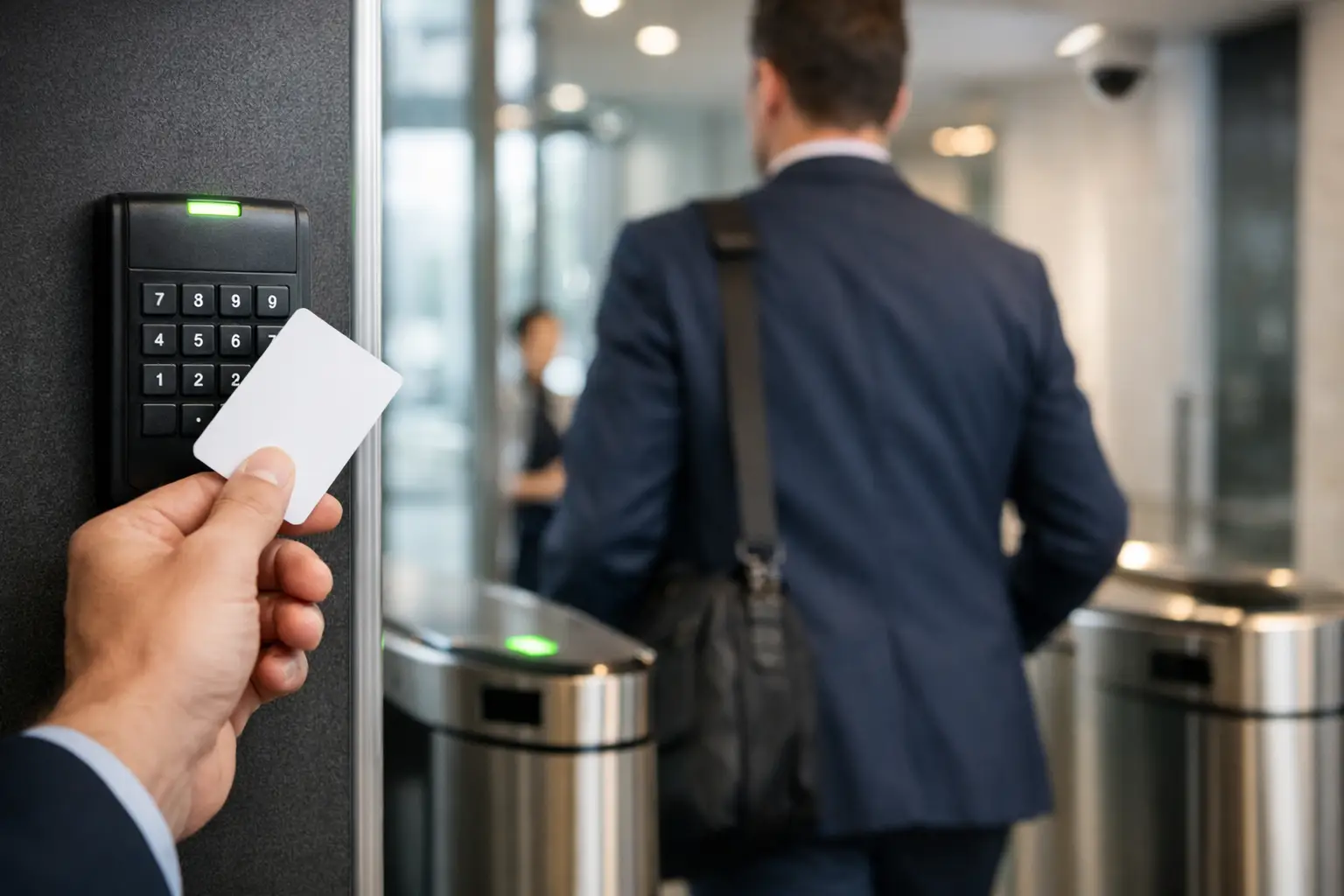
A lost master key, an ex-employee who still has a fob, or a side door left unsecured can create a security problem long before anyone notices it. This access control systems guide explains how to choose an entry system that gives you more control without making daily access difficult for residents, staff, visitors or contractors.
For a home, that may mean replacing keys with a reliable keypad at the gate or front door. For a business, it may mean setting permissions for individual staff members, recording entry activity and securing sensitive areas separately. The right result is not necessarily the most complex system. It is the system that suits how your property is used, who needs access and how quickly you need to respond when circumstances change.
What an access control system does
Access control manages who can enter a property, building or specific area, and when they can do it. Rather than relying only on a physical key, the system checks a credential such as a PIN, swipe card, fob, mobile device or biometric identifier before releasing a lock.
Most systems have four working parts: a credential reader, an electronic locking device, a controller that makes the access decision, and a power supply. The controller may be located on site or connected to cloud-based management software. Depending on the system, a property owner or authorised manager can add users, remove access, set schedules and review entry events from a computer or mobile device.
This creates a practical advantage over traditional keys. If a key is lost, locks may need to be rekeyed and every keyholder may be affected. With electronic access control, a lost credential can usually be cancelled immediately, while everyone else continues using the system as normal.
Start with the doors and people that matter most
A good system design begins with a walkthrough, not a product catalogue. Consider every entry point, including the front door, staff entrance, gates, loading areas, garage access, internal offices, storerooms and plant rooms. A door that is rarely used can still be an easy point of entry if it has poor lighting, an outdated lock or no clear access rules.
Think about the people using each door. Homeowners may want simple access for family members, cleaners and tradespeople without handing out spare keys. Property managers need a way to change access between tenants and contractors. Business operators often need different permissions for staff, managers, delivery drivers and after-hours cleaners.
Ask three direct questions: who needs access, where do they need it, and at what times? Those answers determine whether a straightforward standalone keypad is enough or whether a networked system with user groups and activity records is the better fit.
Residential access control
For homes, convenience and appearance often carry equal weight with security. A video intercom at a front gate or door lets occupants identify visitors before granting access. A keypad can be useful for family members, dog walkers or short-term guests, while app-based access can remove the need to meet a contractor simply to hand over a key.
The trade-off is that more connected features require careful setup. Use strong account passwords, keep the app updated and remove temporary users once their access is no longer needed. For exterior equipment, choose hardware suited to Australian weather conditions and install it where it is protected from unnecessary rain, direct sun and physical damage.
Commercial and strata access control
Commercial sites generally need greater control over access levels and records. A receptionist may need entry to the main office during business hours, while only selected staff can enter a server room, stock cage or records area. Time schedules can prevent routine access outside rostered hours without requiring a manager to collect keys at the end of every shift.
For strata and multi-tenant buildings, access control needs to balance shared security with day-to-day convenience. Common entries, garages, bin rooms and lifts may require separate permissions. The system also needs a clear handover process when a tenant moves out, a contractor finishes work or a resident loses a credential.
Choosing the right credential
Credentials should match the environment rather than follow a trend. PIN keypads are familiar and cost-effective, but codes can be shared or observed. They work well where users are limited and codes are changed regularly. Cards and fobs are quick to use and easy to issue, although they can be misplaced just like keys.
Mobile credentials are useful when users already carry a mobile and management needs to be flexible. They can make remote issuing and cancelling of access simpler, particularly across several sites. However, not every user wants to rely on their phone, and a dead battery or damaged device should not leave someone stranded without an alternative.
Biometric access, such as fingerprint recognition, can reduce credential sharing but requires more consideration. It may be unsuitable where users have privacy concerns, where hands are frequently dirty or gloved, or where a high-throughput entrance needs faster movement. In many workplaces, a card or mobile credential with a PIN for higher-security doors provides a more practical balance.
Locks, exit paths and power are not afterthoughts
The reader is only one part of the installation. The door, frame, hinges, closer and locking hardware all need to be suitable for the chosen system. An electronic strike may be appropriate for some hinged doors, while a maglock may suit other applications. Sliding gates, roller shutters and glass doors each need their own approach.
Safety must guide every decision. People must be able to exit safely in an emergency, and access-controlled doors need to work with fire safety requirements, emergency exits and any building-specific obligations. The correct lock type, release devices, signage and integration all depend on the door’s use. This is not an area for guesswork or a quick DIY wiring job.
Power planning matters as well. A system may need battery backup so authorised users can enter during a power outage, while the locking arrangement must behave safely if power is interrupted. The correct approach depends on whether a door needs to remain secure, release for safe egress, or follow a specific fire or building requirement.
Decide how much visibility you actually need
Standalone systems are suited to a single door or gate where a small number of people need access. They are usually simpler to install and operate, but may offer limited reporting and become harder to manage as the number of users grows.
Networked systems are better for multiple doors, multiple users or sites that need detailed control. They can provide access schedules, user groups, audit trails and remote administration. This can save time for property managers and business owners, but it also means the system needs reliable network coverage, sensible account permissions and ongoing software support.
Consider whether entry records are genuinely useful for your site. For a commercial store, office or managed property, knowing when a credential was used can help investigate an incident or confirm access. For a family home, the priority may be receiving a visitor call at the gate and letting a trusted person in remotely. More data is not automatically better unless someone will review and act on it.
Pair access control with the rest of your security plan
An access-controlled door is strongest when it is part of a coordinated setup. Security cameras can show who approached an entrance and provide useful context if an access event needs reviewing. Exterior lighting improves visibility around gates, paths and car parks, while alarms can protect areas after authorised access hours.
Integration should be purposeful. For example, a business may want a camera view linked to a main entry event, or a homeowner may want a gate intercom and front-door camera managed from the same device. Avoid adding features simply because they are available. Every additional component should be easy to use, supported properly and relevant to the property’s risk.
Installation and ongoing management
Professional installation protects both the system and the building. Cabling must be neat and secure, power supplies must be correctly sized, doors need to latch and release as intended, and the system must be tested under normal and abnormal conditions. A licensed electrician with security-system experience can also coordinate access control with lighting, alarms, cameras and existing electrical infrastructure.
Before handover, make sure the person responsible for the site knows how to add and remove users, change a PIN, respond to a lost credential and use any manual override procedure. Keep a current access register for businesses and managed properties. When someone leaves, remove their access promptly rather than waiting for the next scheduled review.
Plan periodic checks as part of routine maintenance. Test door release and closing action, inspect external readers for damage, check backup batteries where fitted, review user accounts and update software when required. A system that has been ignored for years may still appear to work, but outdated permissions and worn door hardware can undermine its purpose.
If you are planning a new system or upgrading an older one, Voltricity can assess the entry points, electrical requirements and security priorities at your property before recommending a practical installation. The best starting point is often the door that causes the most concern, then building a system that remains simple to manage as your needs change.